Maintenance 31
2
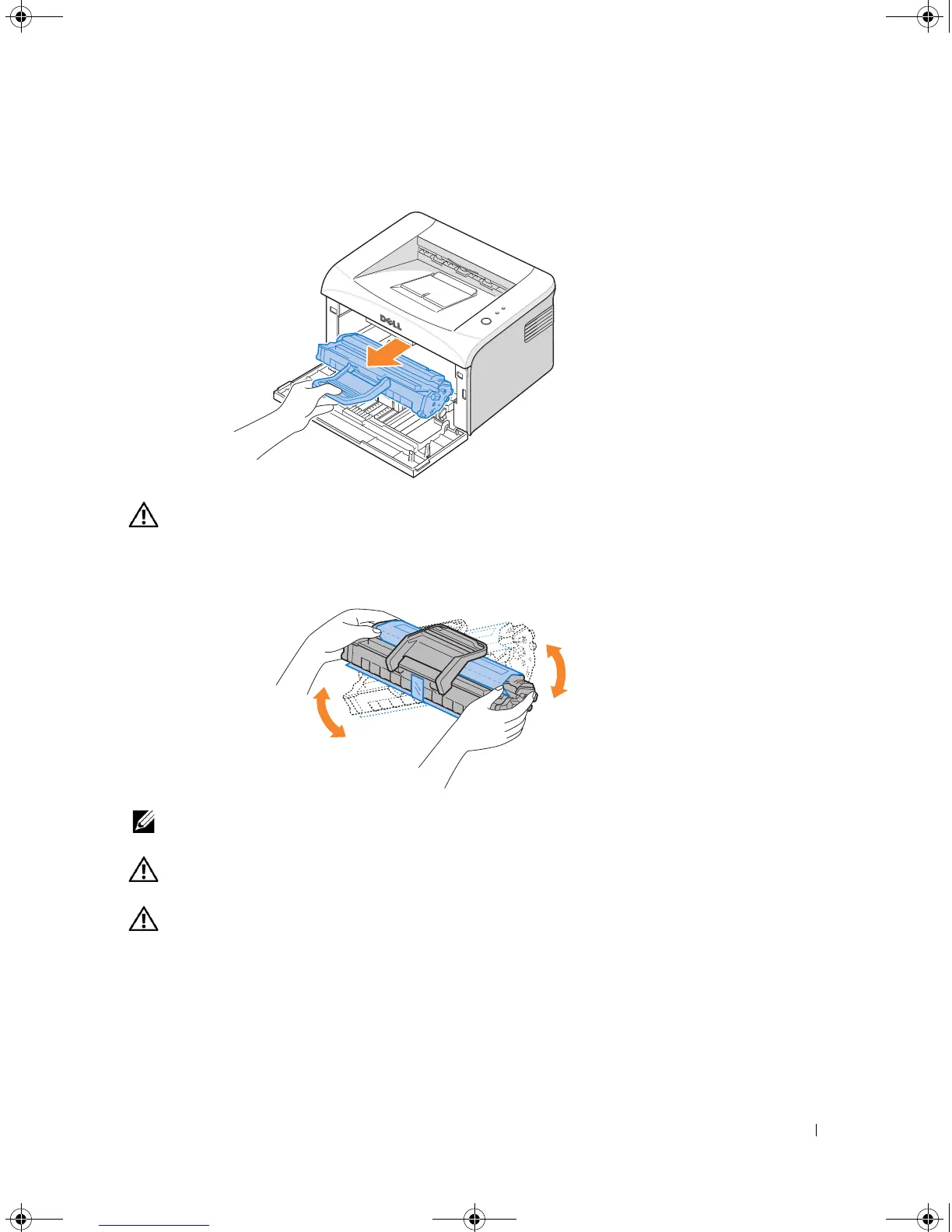
Pull the used toner cartridge out and lift it up and away from the printer.
CAUTION: Avoid reaching too far into the printer. The fusing area may be hot.
3
Unpack a new toner cartridge. Hold the cartridge carefully and gently shake it from side-
to-side 5 or 6 times to distribute the toner.
NOTE: If toner comes into contact with your clothing, wipe the toner off with a dry cloth and
wash your clothing in cold water. Hot water sets toner into fabric.
CAUTION: Do not touch the green underside of the toner cartridge. Use the handle
on the cartridge to avoid touching this area.
CAUTION: To prevent damage to the toner cartridge, do not expose it to light for
more than a few minutes.
1100-OM_EN.book Page 31 Friday, May 20, 2005 3:14 PM











 To Next Page