32 Maintenance
www.dell.com | support.dell.com
4
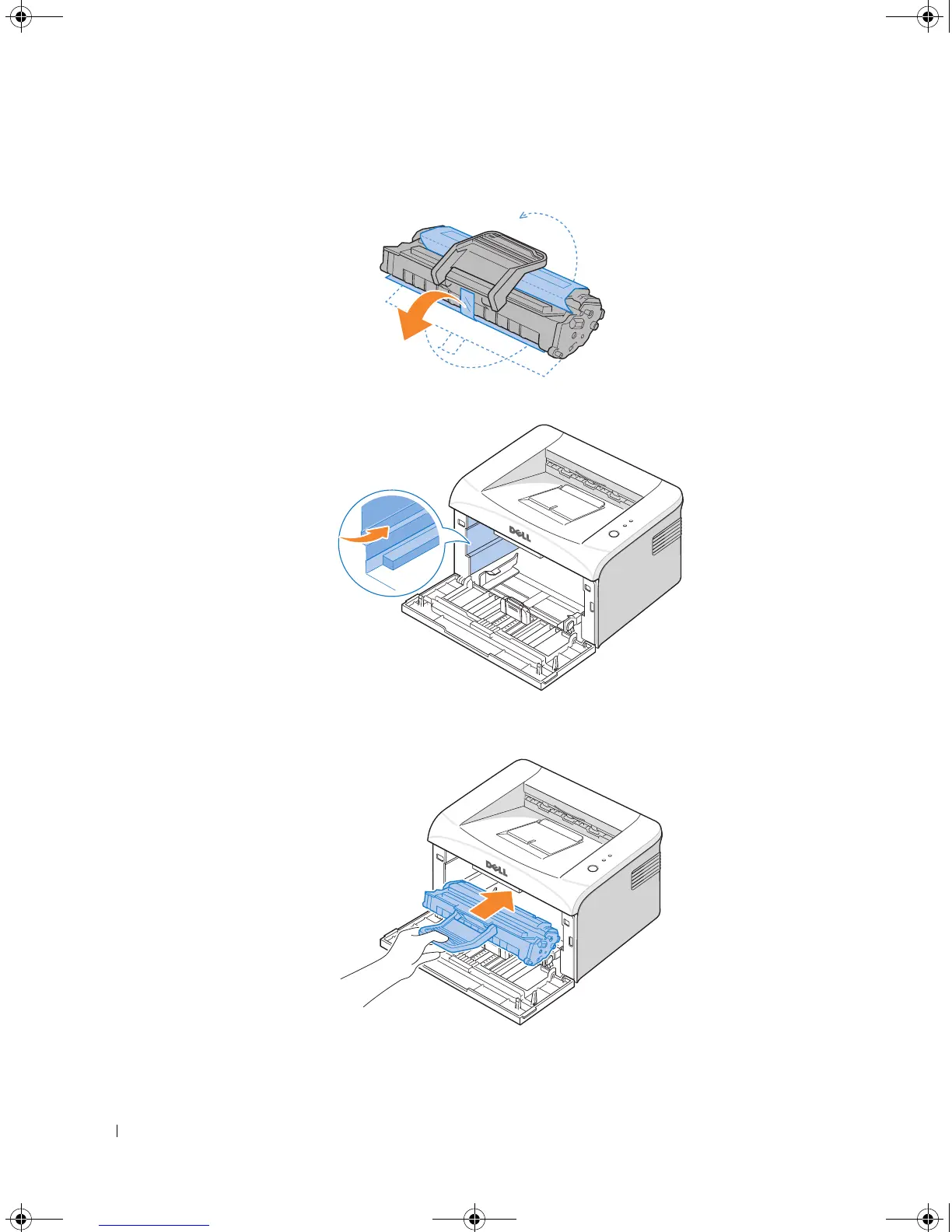
Pull the tape to remove the protective paper.
5
Locate the cartridge slot inside the printer, one on each side.
6
Unfold the toner cartridge handle and grasp it. Insert the cartridge into the printer until
it snaps into place.
7
Close the front cover. Make sure that the cover is securely closed. If it is not firmly closed,
printing errors may occur.
1100-OM_EN.book Page 32 Friday, May 20, 2005 3:14 PM











 To Next Page