EasyManua.ls Logo

Dell 1710 - Page 89

Dell 1710
116 pages
Print Icon
To Next Page IconTo Next Page
To Previous Page IconTo Previous Page
Loading...
You can solve some print quality problems by cleaning the printhead lens.
Turn the printer off.1.
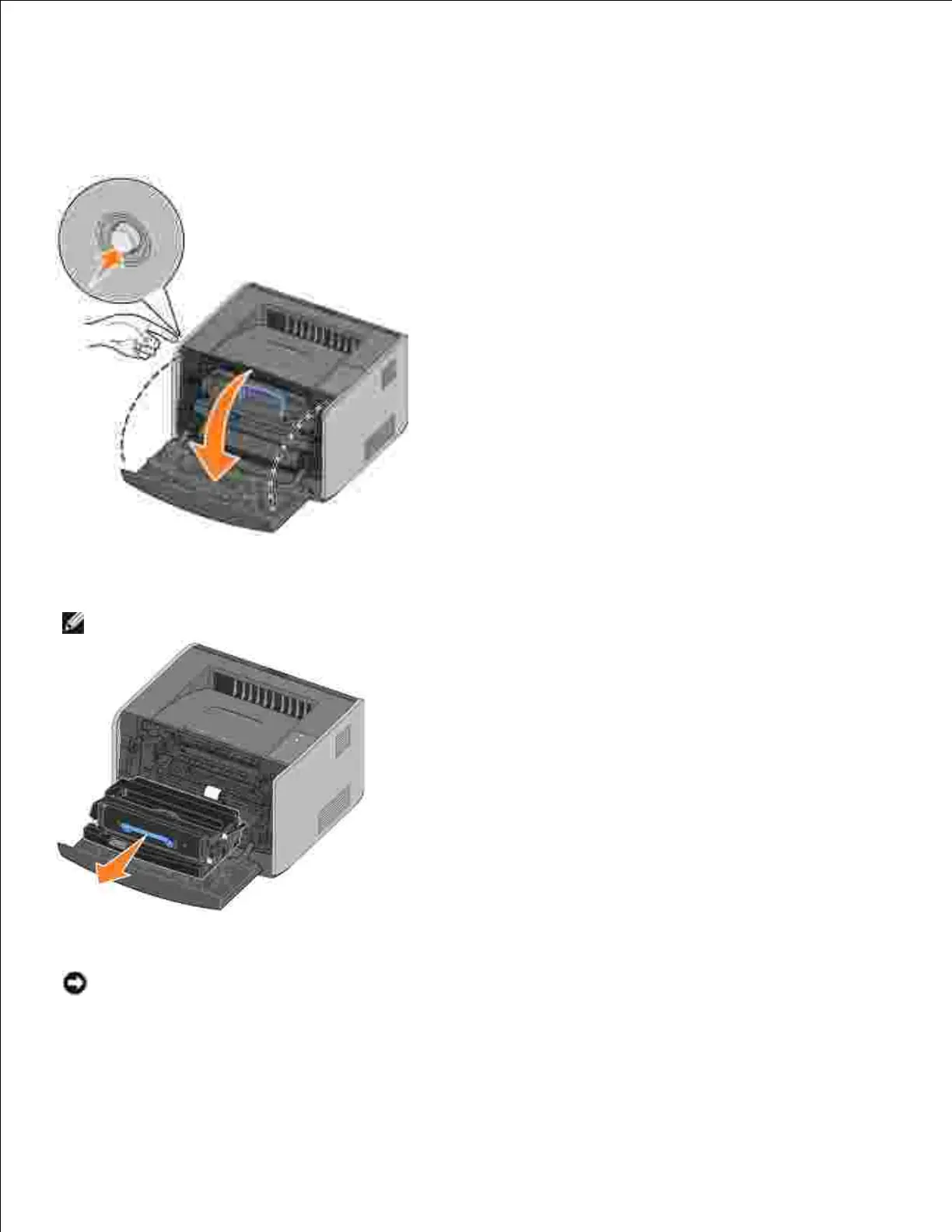
Open the front cover by pressing the button on the left side of the printer and lowering the cover.2.
Remove the toner cartridge assembly from the printer by pulling on the toner cartridge handle.3.
NOTE: Do not press the button on the toner cartridge assembly.
Place the toner cartridge assembly on a flat, clean surface.
NOTICE: Do not leave the toner cartridge assembly exposed to direct light for an extended period of
time. Extended light exposure can cause print quality problems.
Locate the glass printhead lens, which is located within the recessed area in the top of the printer.4.

Table of Contents

Related product manuals