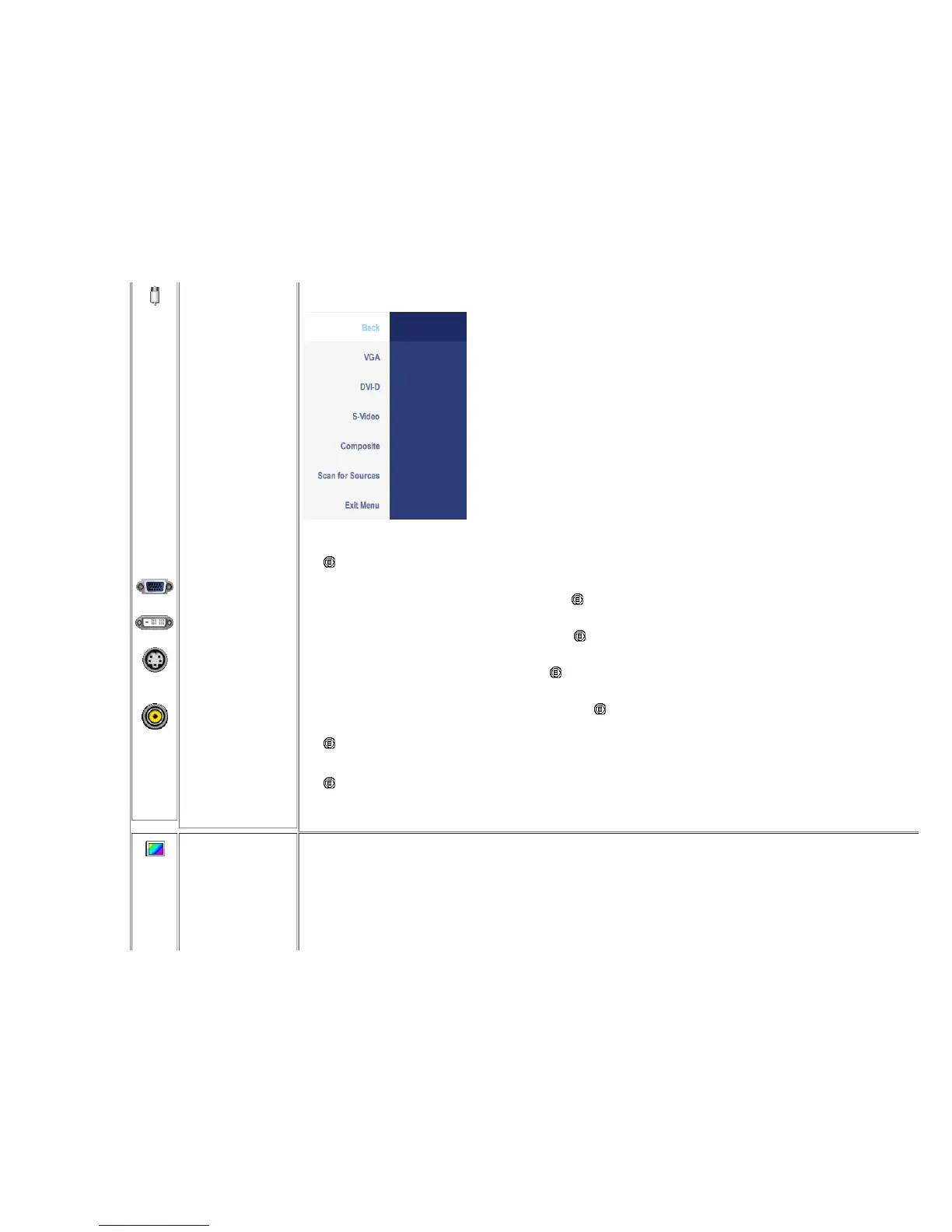
INPUT
SOURCE
Back
VGA
DVI-D
S-Video
Composite
Scan for Sources
Exit Menu
The INPUT SOURCE menu is to select between different video signals that may be connected to your monitor.
Push to select Back to go back to the main menu.
Select VGA input when you are using the analog (VGA) connector. Push to select the VGA input source.
Select DVI-D input w hen you are using the Digital (DVI) connector. Push to select the DVI input source.
Select S-Video input when you are using S-Video connector. Push to select the S-Video input source.
Select Composite input when you are using composite video connector. Push to select the composite input source.
Push button to scan for available input signals.
Push to exit the OSD main menu.
COLOR
SETTINGS
Color Settings adjusts the color setting mode and color temperature.
There are different color setting sub-menus for VGA/DVI-D and Video input.
Color setting submenu for VGA/DVI-D input Color setting submenu for Video input










 To Next Page