3 Wipe the areas shown and let them dry.
4 Close the scanner cover.
Cleaning the ADF separator rollers
After you have copied over 50,000 copies using the ADF, clean the ADF separator rollers.
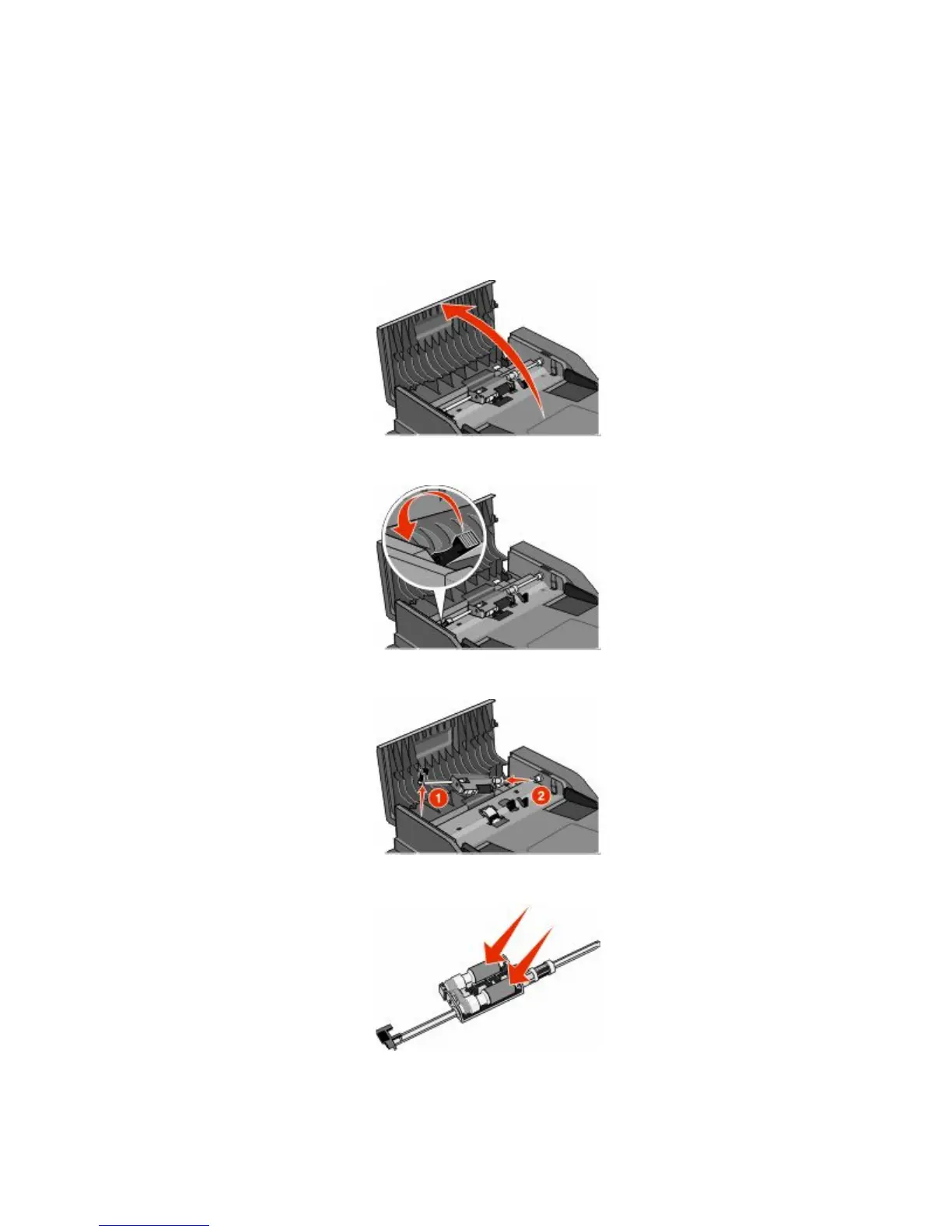
1 Open the ADF cover.
2 Unlock the separator roll.
3 Remove the separator roll.
4 Use a clean, lint-free cloth dampened with water to wipe the separator rollers.
Maintaining the printer
228











 To Next Page