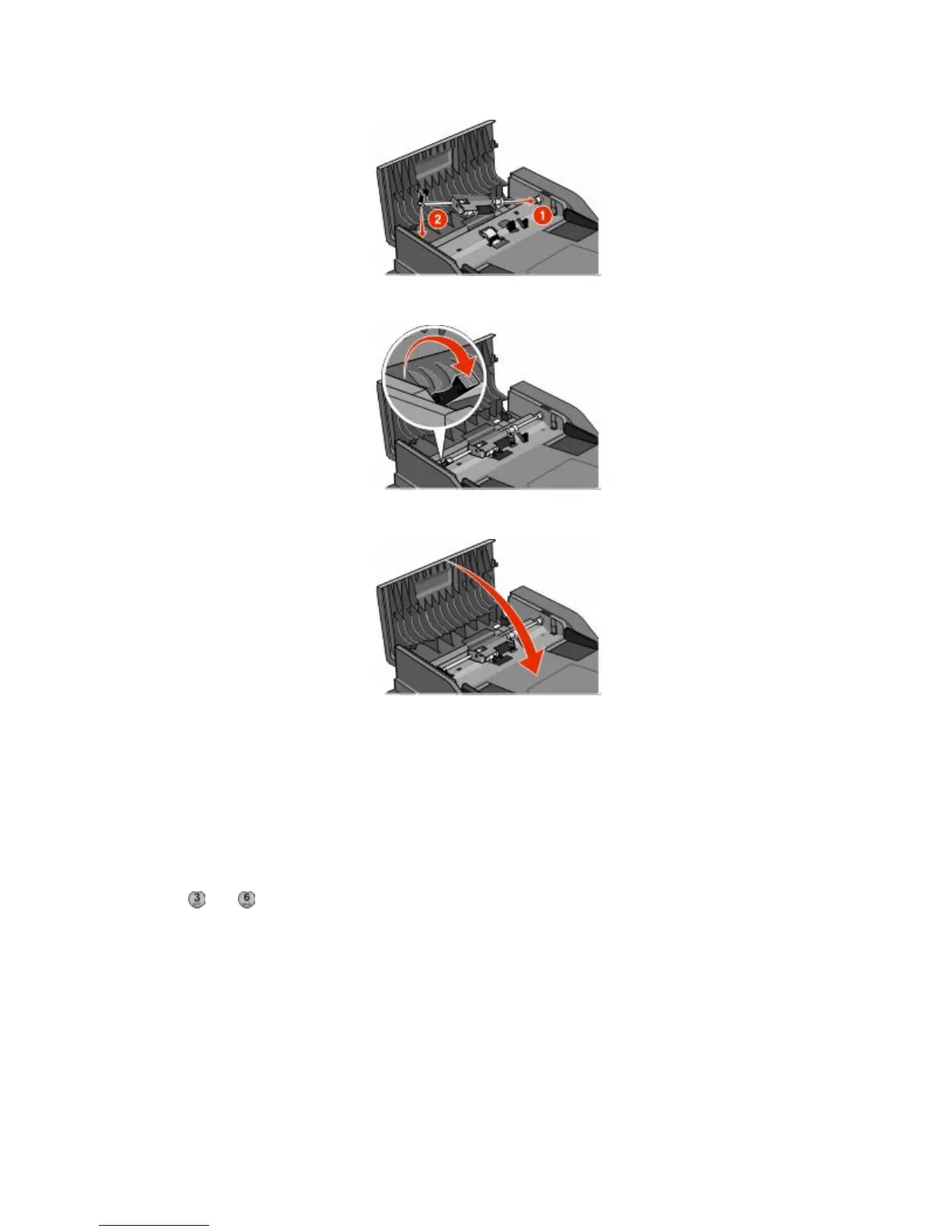
5 Reinstall the separator roll.
6 Lock the separator roll.
7 Close the ADF cover.
Adjusting scanner registration
Scanner Registration is a process to align the scan area with the paper location. To manually adjust the scanner
registration:
1 Turn the printer off.
2 Clean the scanner glass and backing material.
3 Hold down and until the progress bar appears.
4 Release the buttons.
The printer performs a power-on sequence, and then the Diagnostic menu appears.
5 Touch the up or down arrow until Scanner Test appears.
6 Touch Scanner Test.
7 Touch the up or down arrow until Scanner Manual Registration appears.
8 Touch Scanner Manual Registration.
Maintaining the printer
229











 To Next Page