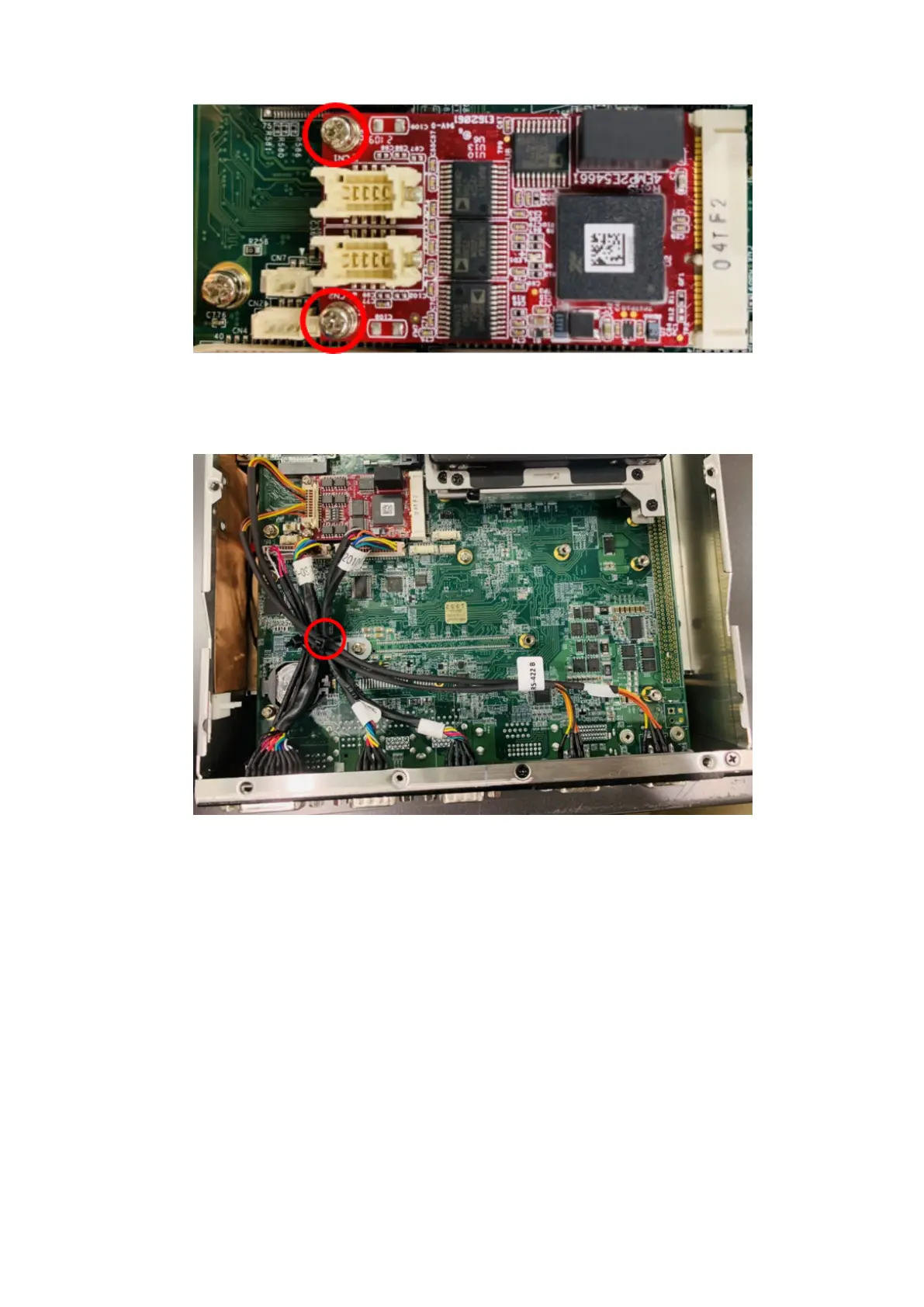
Figure 67. Isolated COM 232 mPCIe installed on motherboard
12. Connect the cables from the Isolated COM ports to the Isolated COM mPCIe module. Use a cable tie, as shown with a red
circle in the following figure.
Figure 68. Cables from ports to Isolated COM 422/485 mPCIe module with cable tie
Installation procedure for 2x isolated COM 422/485 or 232 uFM module
43















 To Next Page