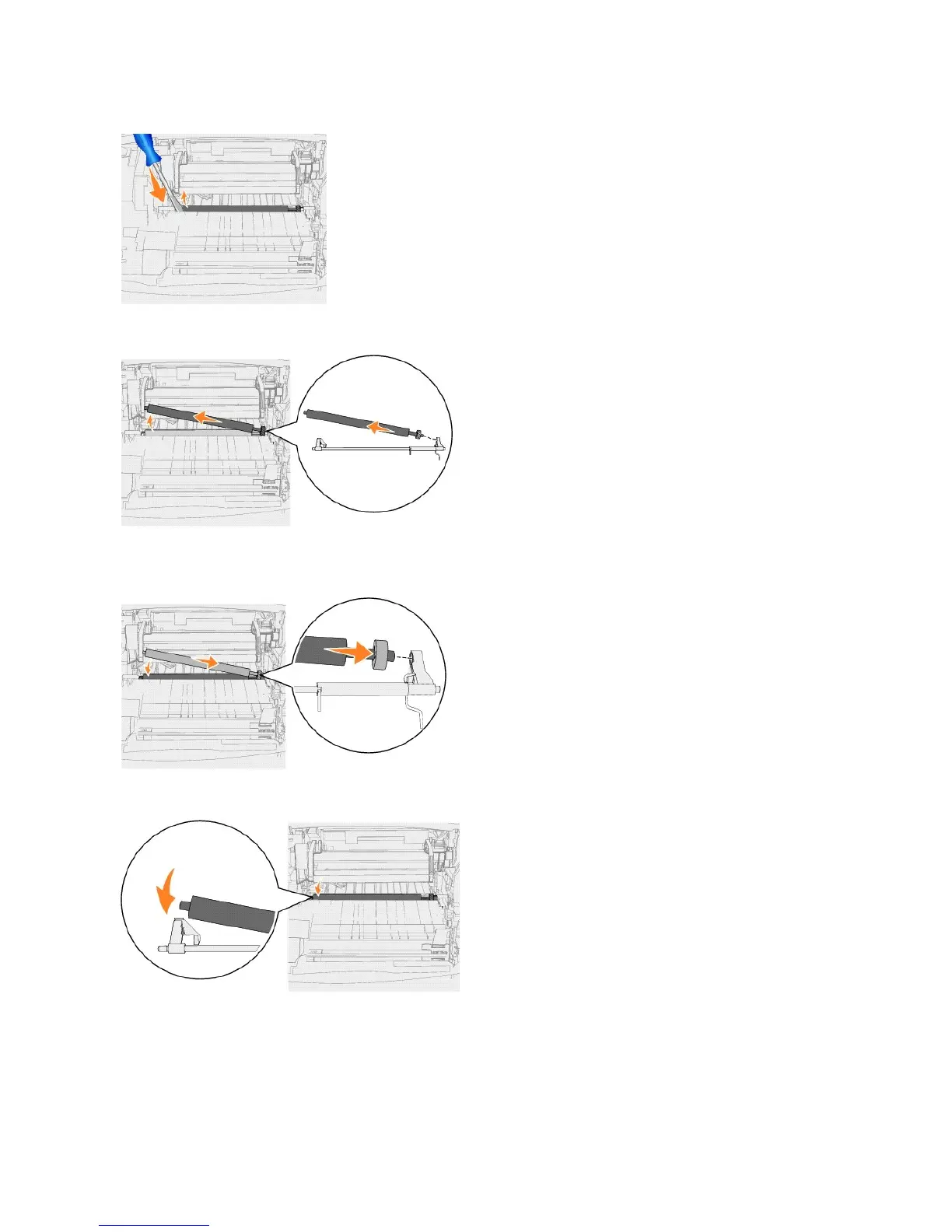
7. Lift the transfer roll and pull it straight out of the printer. Set it aside.
8. Remove any packaging from the new transfer roller.
9. Locate the small hole on the right side of the printer, and insert the metal tab on the right side of the transfer roller into the hole.
10. Lower the transfer roller gently until the left metal tab fits into the slot. You may have to push it down for a secure fit.
11. Reinstall the print cartridge into the printer.















 To Next Page