Security
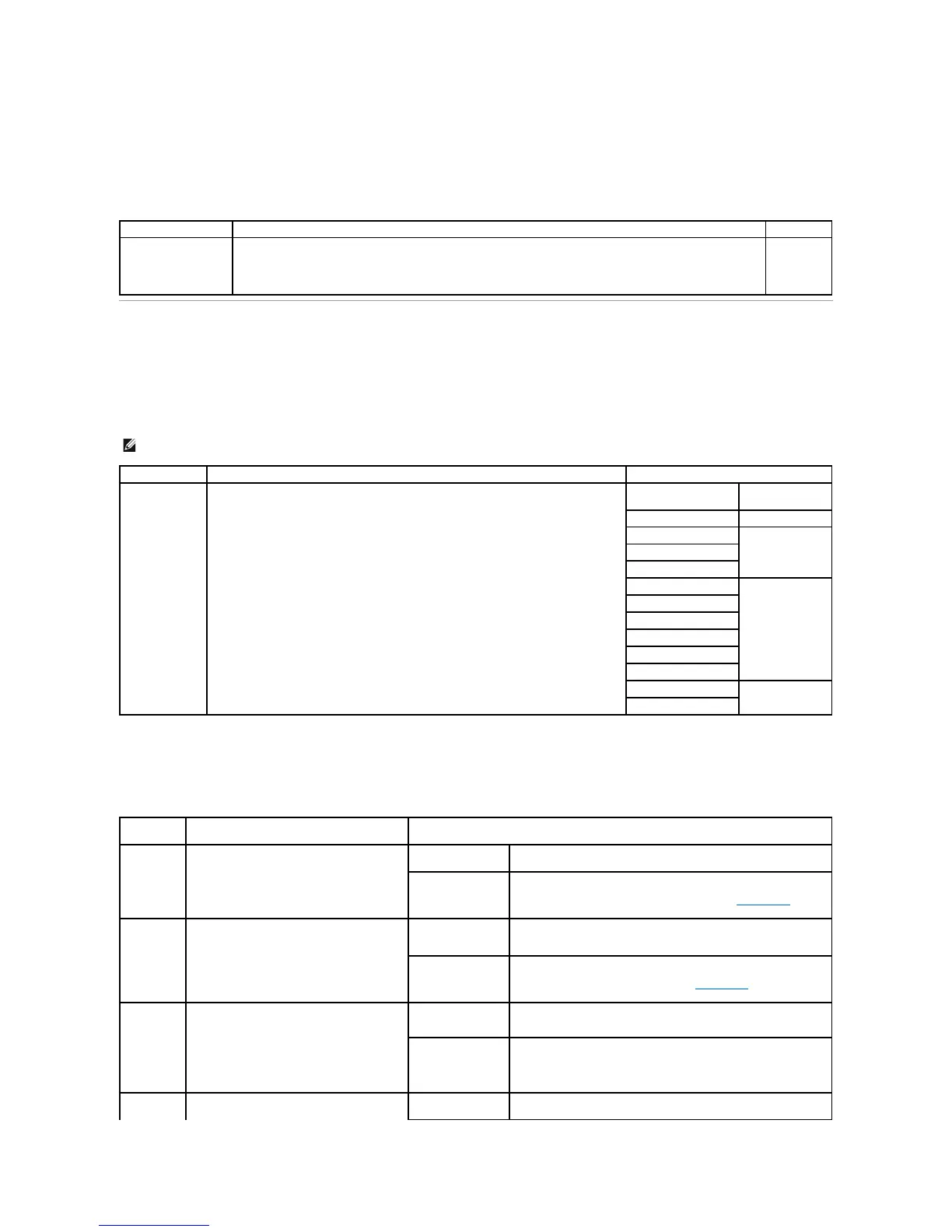
This menu selection is used to set security levels on individual print jobs requiring a PIN.
Network/Ports
TCP/IP
This menu section is use to view and change the Transmission Control Protocol/Internet Protocol settings.
Standard Network and Network <x>
Use this menu selection to change printer settings affecting jobs sent to the printer through a network port (either Standard Network or Network<x>).
Limits the amount of time a confidential job stays in the printer before it is deleted.
Off*
1 hour
4 hours
24 hours
1 week
NOTE: This menu is not displayed for non-network models.
Sets the network option to TCP/IP (Transmission Control Protocol/Internet Protocol)
Configures the printer so it automatically
switches to PCL emulation when a print job
received through the network port requires it,
regardless of the default printer language.
Printer examines data on the network interface and selects PCL
emulation if the data indicates that is the required printer language.
Printer does not examine the incoming data. The printer uses
PostScript emulation to process the job if PS SmartSwitch is On, or
uses the default printer language specified in the Setup Menu if PS
SmartSwitch is Off.
Configures the printer so it automatically
switches to PostScript emulation when a print
job received through the network port requires
it, regardless of the default printer language.
Printer examines data on the network interface connection and
selects PostScript emulation if the data indicates that is the required
printer language.
Printer does not examine the incoming data. The printer uses PCL
emulation to process the job if PCL SmartSwitch is On, or uses the
default printer language specified in the Setup Menu if PCL
SmartSwitch is Off.
Specifies whether the printer performs the
special processing required for bidirectional
communication, following the conventions
defined in the Network Printing Alliance
(NPA) Protocol.
NOTE: Changing this menu item automatically
resets the printer.
Printer does not perform NPA processing.
Printer examines the data to determine the format and then
processes it appropriately.
Configures the size of the network input buffer.
Printer automatically calculates the Network Buffer size
(recommended setting).




 To Next Page