Connecting Your Projector 11
CAUTION: Before you begin any of the procedures in this section, follow the
Safety Instructions as described on page 8.
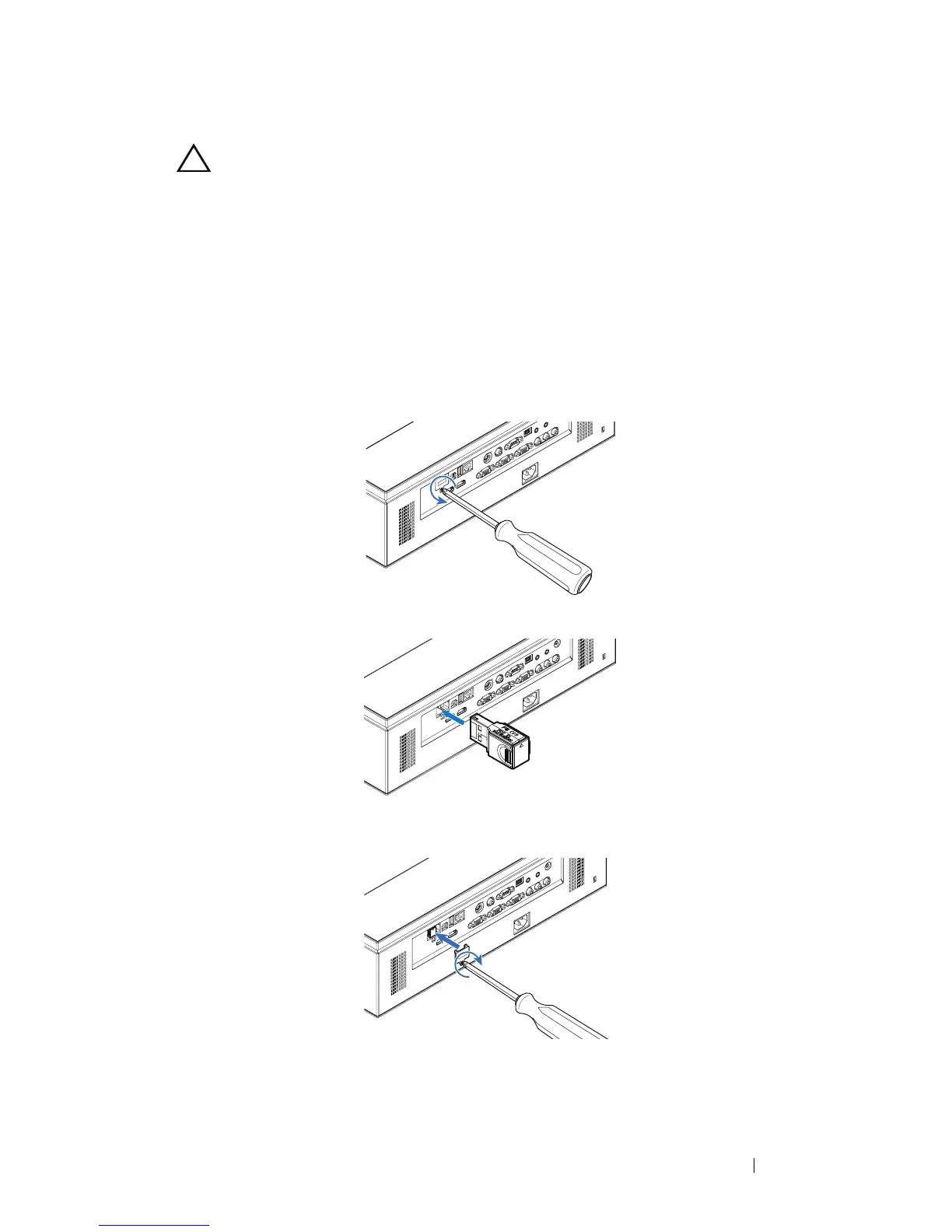
Installing the Optional Wireless Dongle
Your projector must be installed with a wireless dongle if you want to use the
wireless networking option. Refer to "Wireless Networking Installation" on
page 55. The wireless dongle is not shipped with your projector. You can
purchase it on the Dell website at
www.dell.com
.
1
Unscrew and take off the wireless cover.
2
Plug in the wireless dongle.
3
Assemble the wireless cover.



 To Next Page