38 Using Your Projector
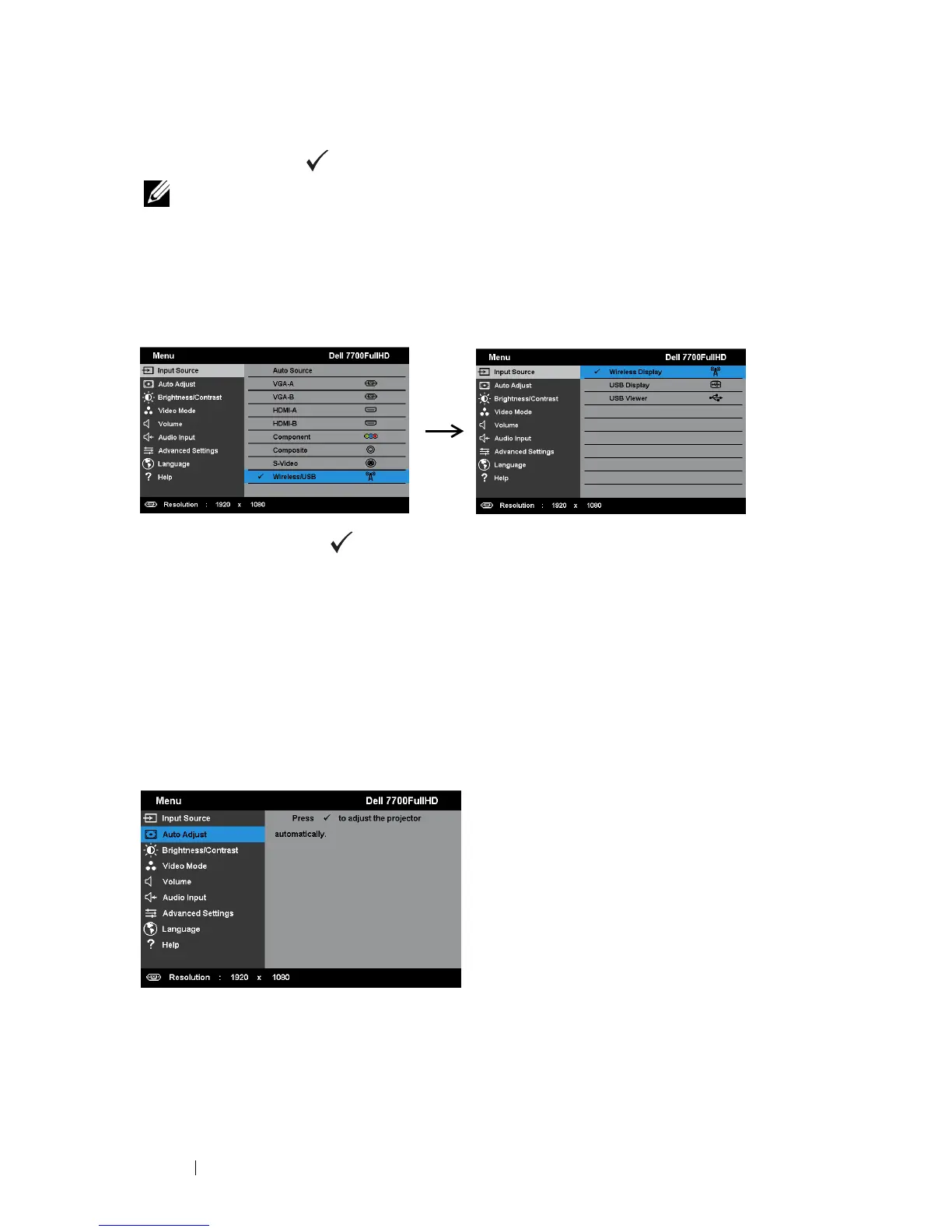
WIRELESS/USB—Press to activate the Input Source Wireless/USB menu.
NOTE: The Wireless/USB can be used after the "Wireless and LAN" option is
turned on.
INPUT SOURCE WIRELESS/USB
The Input Source Wireless/USB menu allows you to activate the Wireless Display,
USB Display, and USB Viewer.
W
IRELESS DISPLAY—Press to access the projector's Wireless Guide screen. See
"Wireless Guide screen" on page 57.
USB D
ISPLAY—Allows you to display the computer/laptop screen to your projector
via the USB cable.
USB VIEWER—Allows you to display photo and PPT files from your USB flash drive.
See "Presentation to Go (PtG) Installation" on page 65.
AUTO ADJUST
Auto Adjust automatically adjusts the projector's Horizontal, Vertical, Frequency,
and Tracking in PC mode.



 To Next Page