70 Using Your Projector
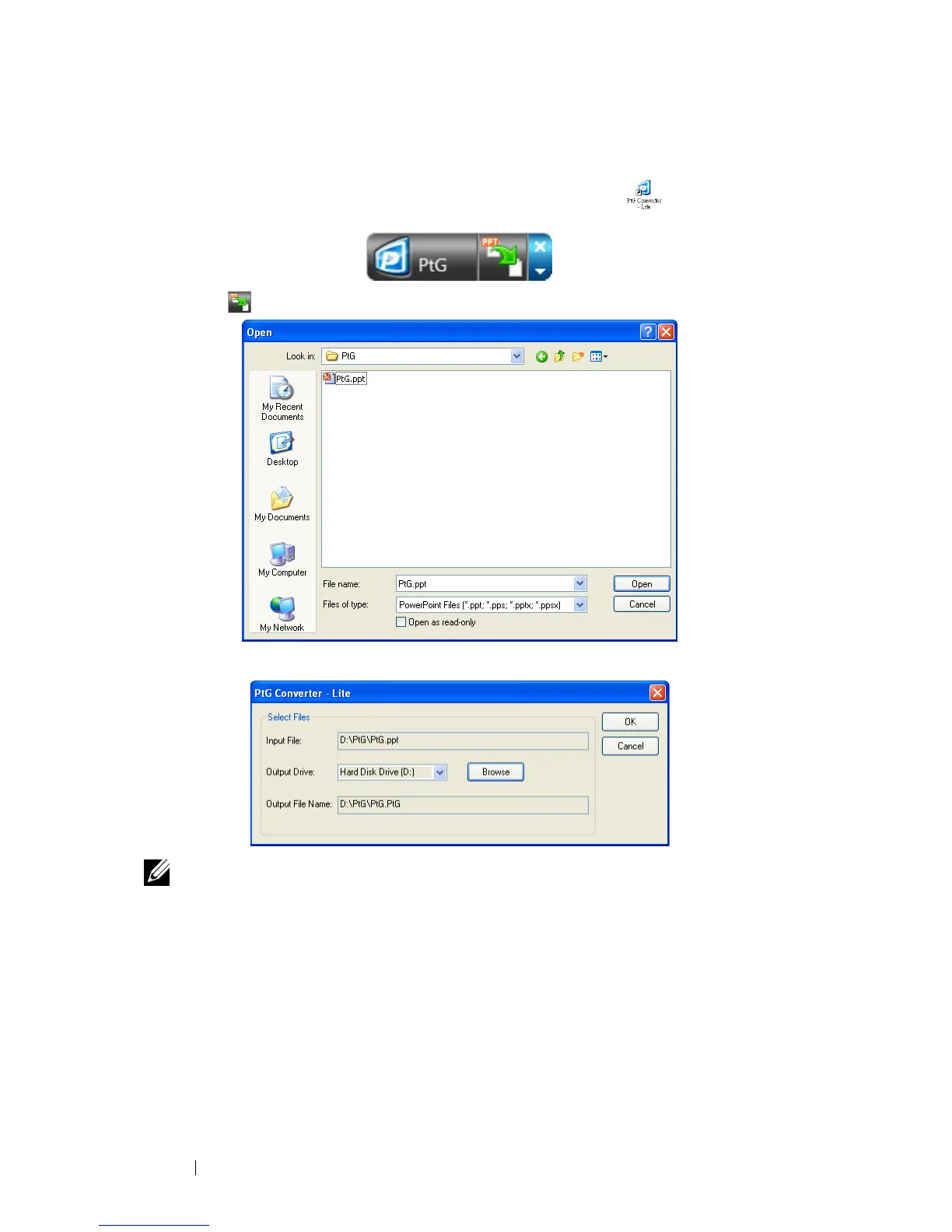
Using the PtG Converter
1
Launch the "PtG Converter - Lite.exe" or double-click the icon on the
desktop to start the application.
2
Click to select a PowerPoint file and start conversion.
3
Click
Browse
button to select the storage location and then press OK.
NOTE:
1
If your computer does not have MS PowerPoint installed, file convert will fail.
2
PtG converter only supports up to 20 pages.
3
PtG converter only supports conversion of .ppt files to .PtG files.



 To Next Page