72 Using Your Projector
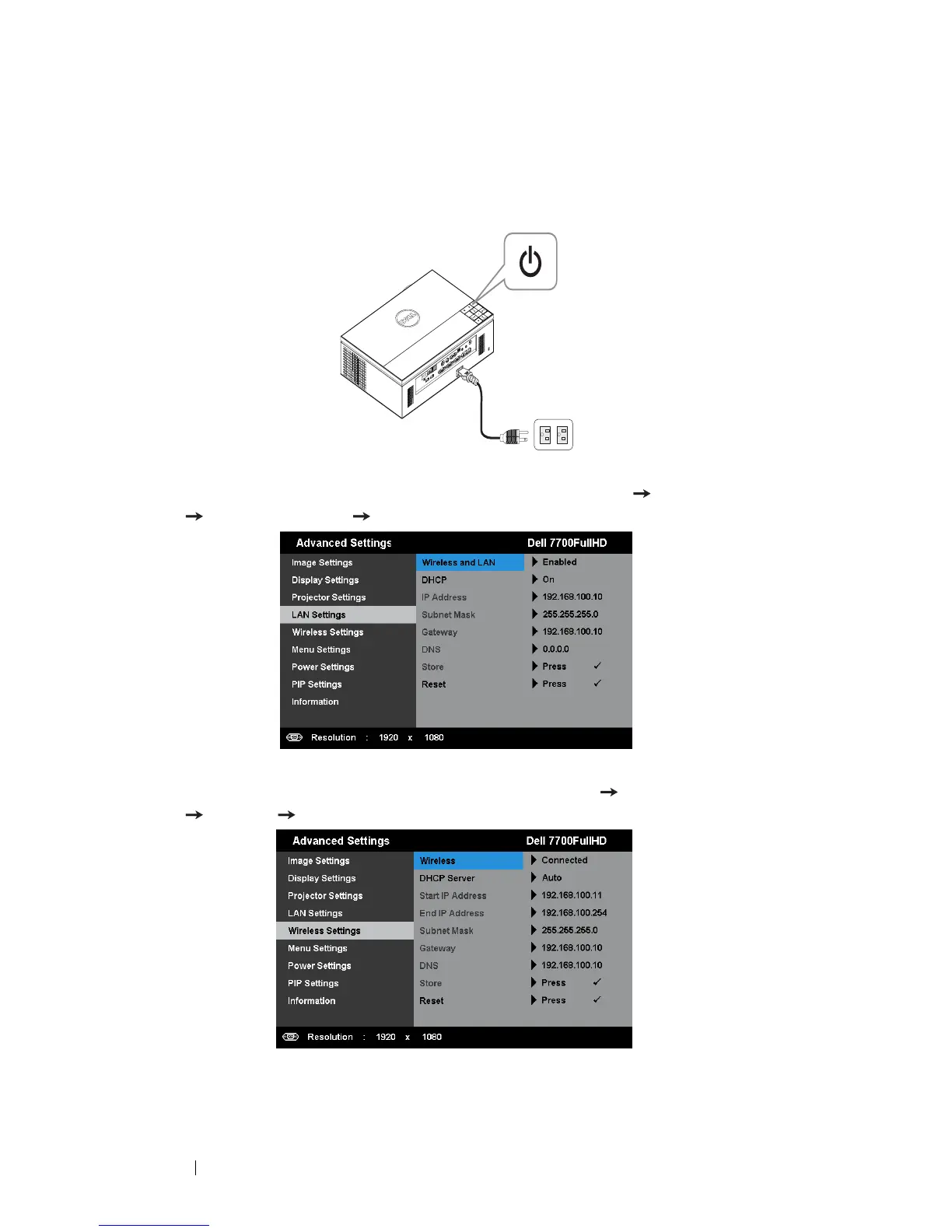
Enable Wireless or LAN on the Projector
1
Connect the power cable and turn on the projector by pressing the power
button.
2.1
If the
LAN
is used for audio projection, follow these steps to enable Wireless
and LAN function (default is
Enabled
):
Advanced Settings
LAN Settings
Wireless and LAN
Enabled
.
2.2
If the
Wireless
is used for audio projection, follow these steps to enable wireless
connection (default is
Connected
):
Advanced Settings
Wireless Settings
Wireless
Connected
.



 To Next Page