Using Your Projector 89
Projector Upgrade
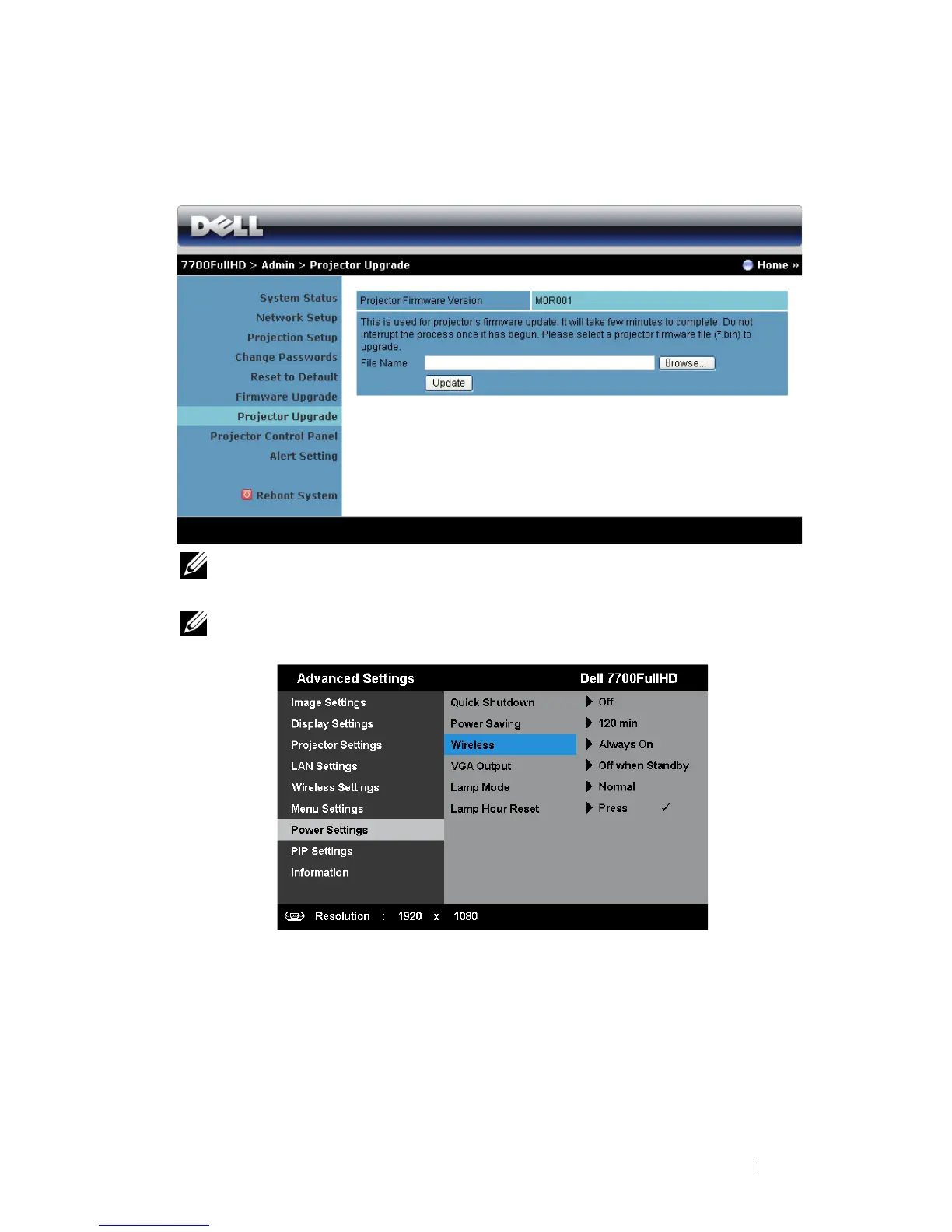
Use the Projector Upgrade page to update your projector’s firmware.
NOTE: Please disable and enable wireless/network using the OSD to restart
the network card for the projector after firmware upgrade is successful.
NOTE: Ensure the wireless standby mode is turn on (default is off), follow these
steps: Advanced Settings -> Power Settings -> Wireless -> Always On.
To start the firmware update, follow these steps:
1
Plug in the power cord and the projector will enter standby mode.
2
Connect the
LAN cable
to the projector and your computer.
3
Open your Internet browser and then enter the IP address (default IP address is
192.168.100.10).
4
At
Projector Upgrade
web page, press
Browse
to select the file to update.



 To Next Page