Downloading drivers
Operating system
• Windows 10 Home (64-bit)
• Windows 10 Professional (64-bit)
Downloading the audio driver
1 Turn on your computer.
2 Go to www.dell.com/support.
3 Click Product support, enter the Service Tag of your computer, and then
click Submit.
NOTE: If you do not have the Service Tag, use the auto-detect
feature or manually browse for your computer model.
4 Click Drivers & downloads → Find it myself.
5 Scroll down the page, and expand Audio.
6 Click Download to download the audio driver for your computer.
7 After the download is complete, navigate to the folder where you saved the
audio driver le.
8 Double-click the audio driver le icon and follow the instructions on the
screen to install the driver.
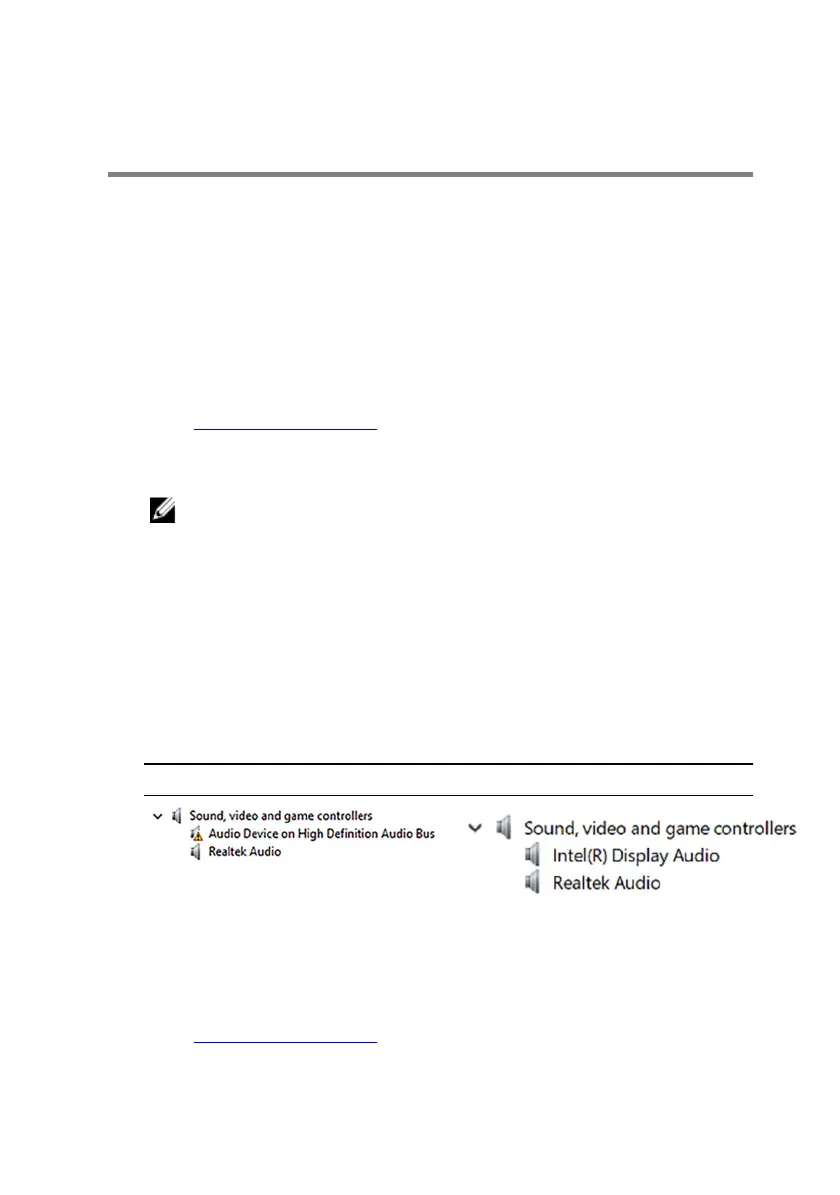
Table 3. Audio controller in device manager
Before driver installation After driver installation
Downloading the graphics driver
1 Turn on your computer.
2 Go to www.dell.com/support.
116












 To Next Page