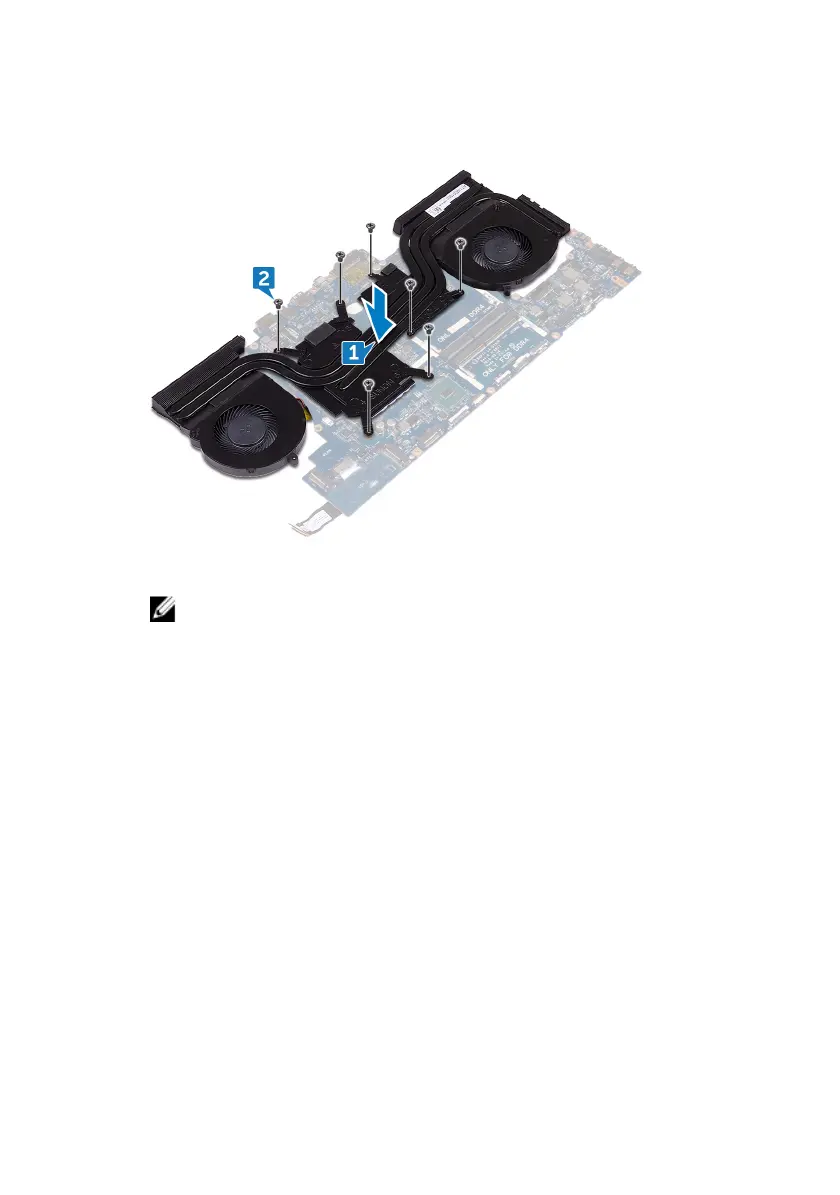
2 Replace the seven screws (M2x3) that secure the heat-sink assembly to the
system board.
3 Turn the system-board assembly over.
NOTE: For computers shipped with NVIDIA GeForce GTX 1060
graphics controller, place the fans on the slots on the system board.
4 Connect the fan cable to the system board.
5 Adhere the tape that secures the fan cable to the system-board assembly.
6 Connect the fan cable to the system board.
96












 To Next Page