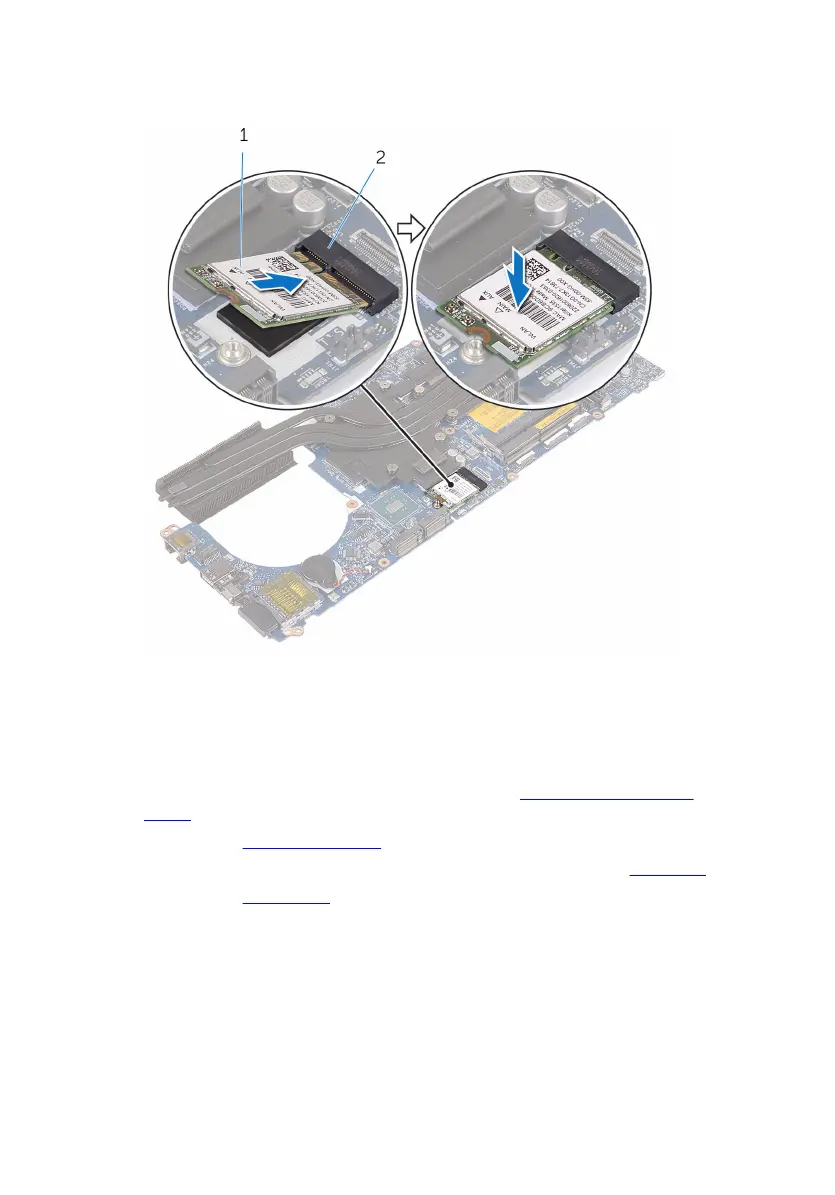
2 Slide the wireless card at an angle into the wireless-card slot and press
down to adhere the wireless card to the system board.
1 wireless card 2 wireless-card slot
Post-requisites
1 Follow the procedure from step 4 to step 10 in “Replacing the system
board”.
2 Replace the display assembly.
3 Follow the procedure from step 5 to step 11 in “Replacing the palm rest”.
4 Replace the base panel.
84













 To Next Page