28 | Operating the monitor
Using the control buttons
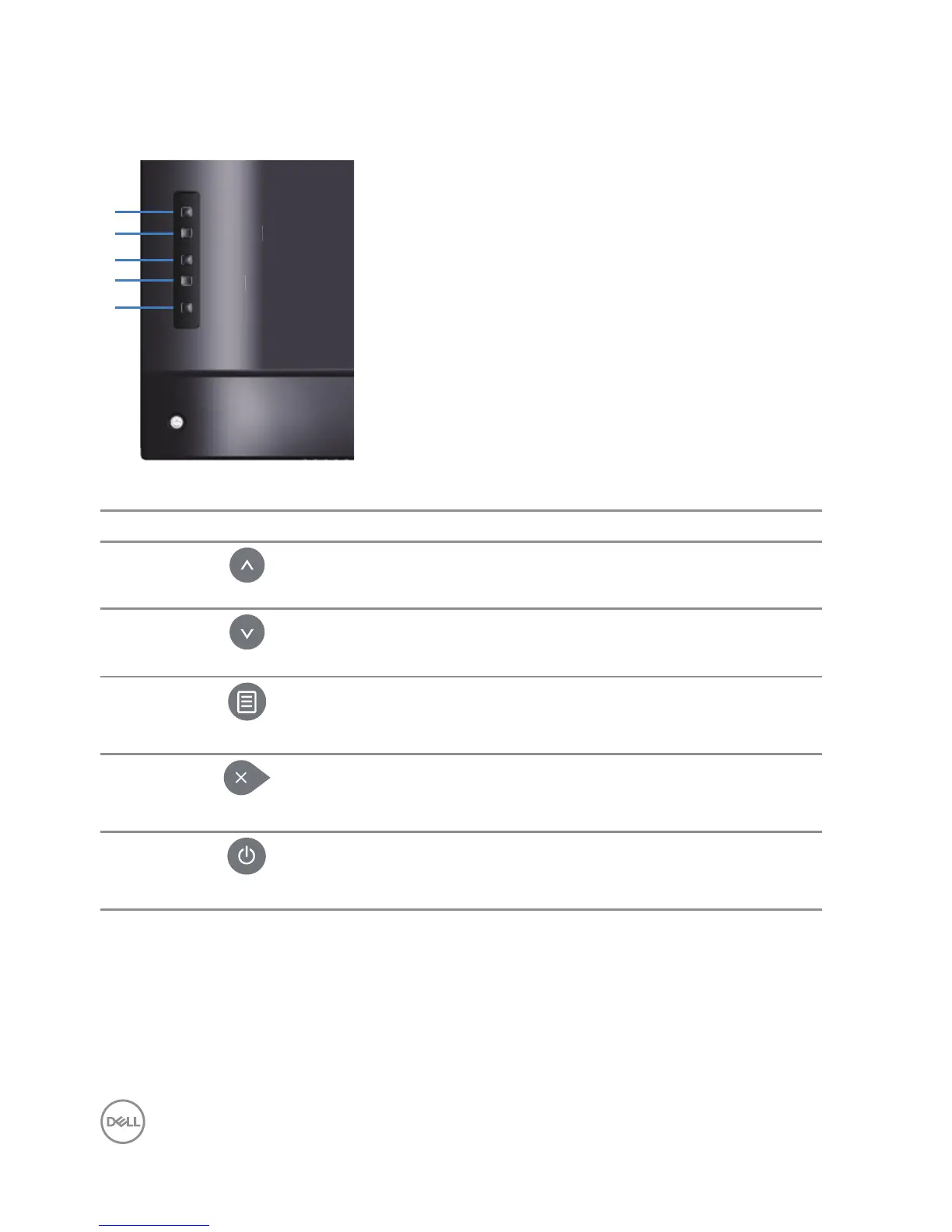
Use the keys on the back of the monitor to adjust the image settings.
Menu
Exit
Power
Down
Up
The following table describes the control buttons:
Control buttons Description
1
Up
Use the Up key to adjust (increase ranges) items in
the OSD menu.
2
Down
Use the Down key to adjust (decrease ranges) items
in the OSD menu.
3
Menu
Use the Menu button to launch the On-Screen
Display (OSD) and select the OSD Menu. See
Accessing the OSD menu.
4
Exit
Use the Exit key to exit on-screen display (OSD)
from menu and sub-menus. Hold about 10 seconds
will enable or disable OSD lock.
5
Power
Press the Power button to turn on/o the monitor.















 To Next Page