Removing and Installing Parts 101
4
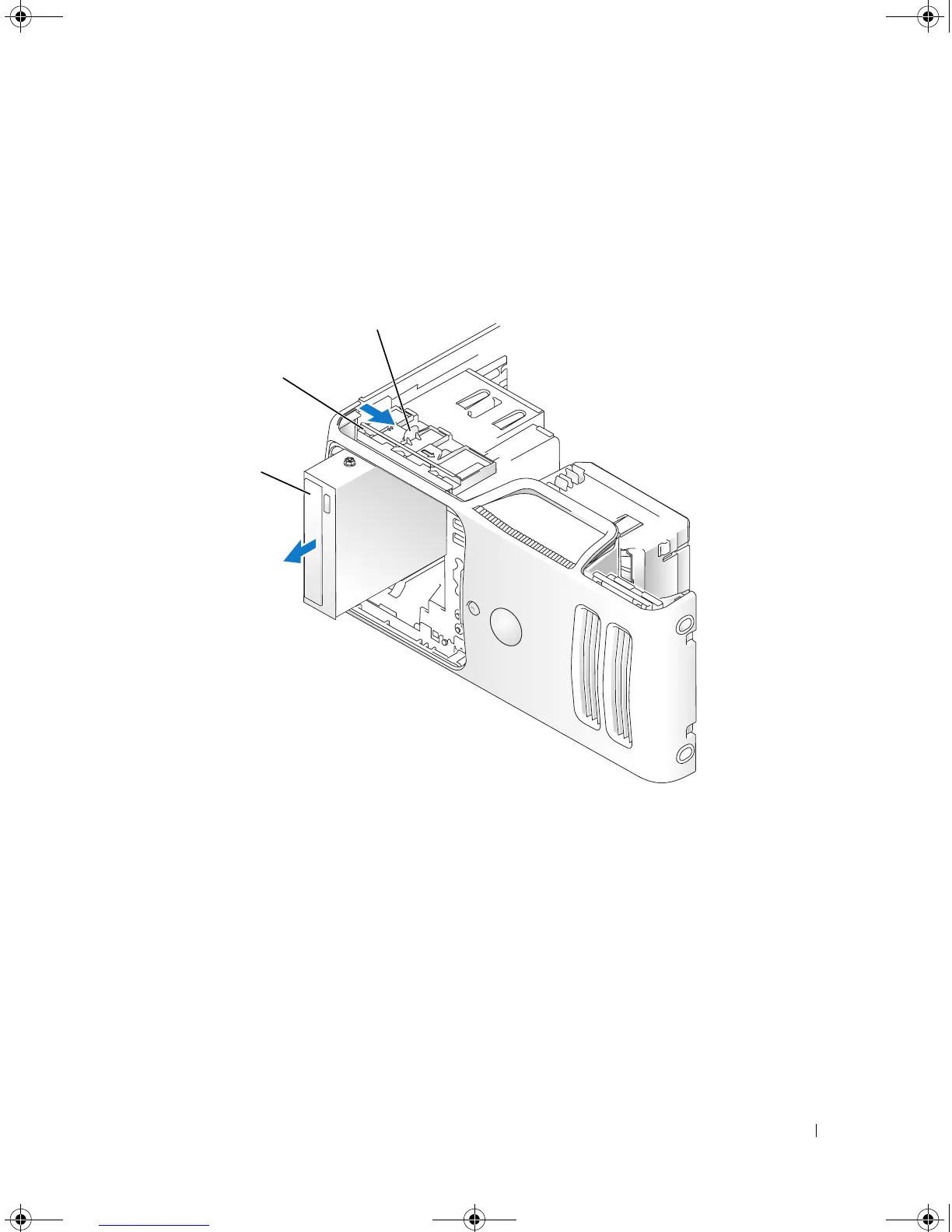
Slide the drive latch release toward the bottom of the computer and, without releasing the drive latch
release, slide the CD/DVD drive out through the front of the computer.
5
If you are not replacing the drive, replace the drive panel insert (see "Replacing the Drive-Panel Insert"
on page 83).
6
Replace the drive panel (see "Replacing the Drive Panel" on page 84).
7
Replace the computer cover (see "Replacing the Computer Cover" on page 105).
8
Connect your computer and devices to electrical outlets, and then turn them on.
9
Configure the drives in System Setup (see "Entering System Setup" on page 111).
1 drive release latch 2 sliding plate 3 CD/DVD drive
3
2
book.book Page 101 Monday, July 23, 2007 3:47 PM














 To Next Page