Setting Up and Using Your Computer 11
Setting Up and Using Your Computer
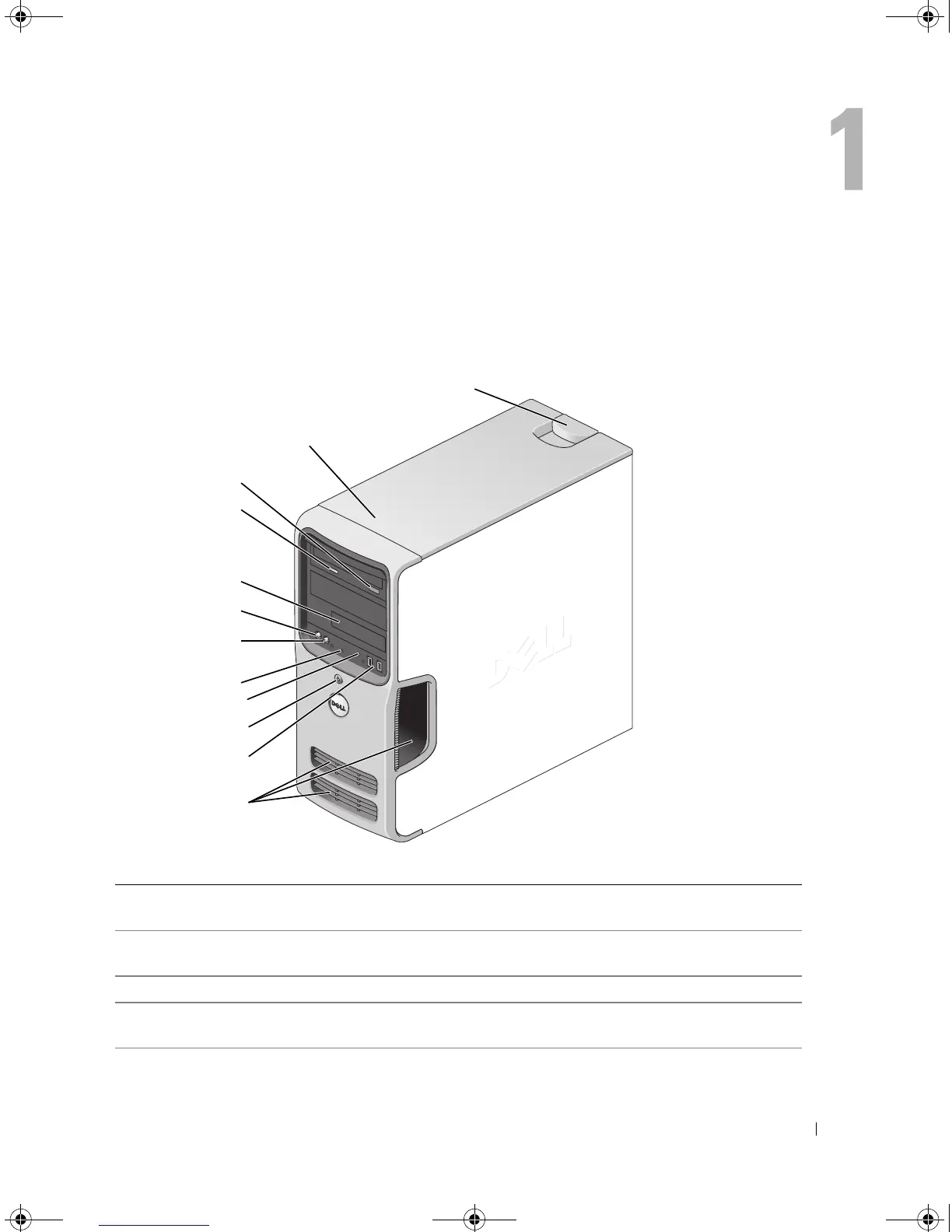
Front View of the Computer
1 cover latch release Use this latch to remove the cover. See "Removing the
Computer Cover" on page 63.
2 location of Service Tag Use the Service Tag to identify your computer when you access
the Dell Support website or call technical support.
3 CD or DVD eject button Press to eject a disk from the CD or DVD drive.
4 CD or DVD activity light The drive light is on when the computer reads data from the
CD or DVD drive.
2
1
3
4
5
6
7
8
9
10
11
12
book.book Page 11 Monday, July 23, 2007 3:47 PM














 To Next Page