Setting Up and Using Your Computer 13
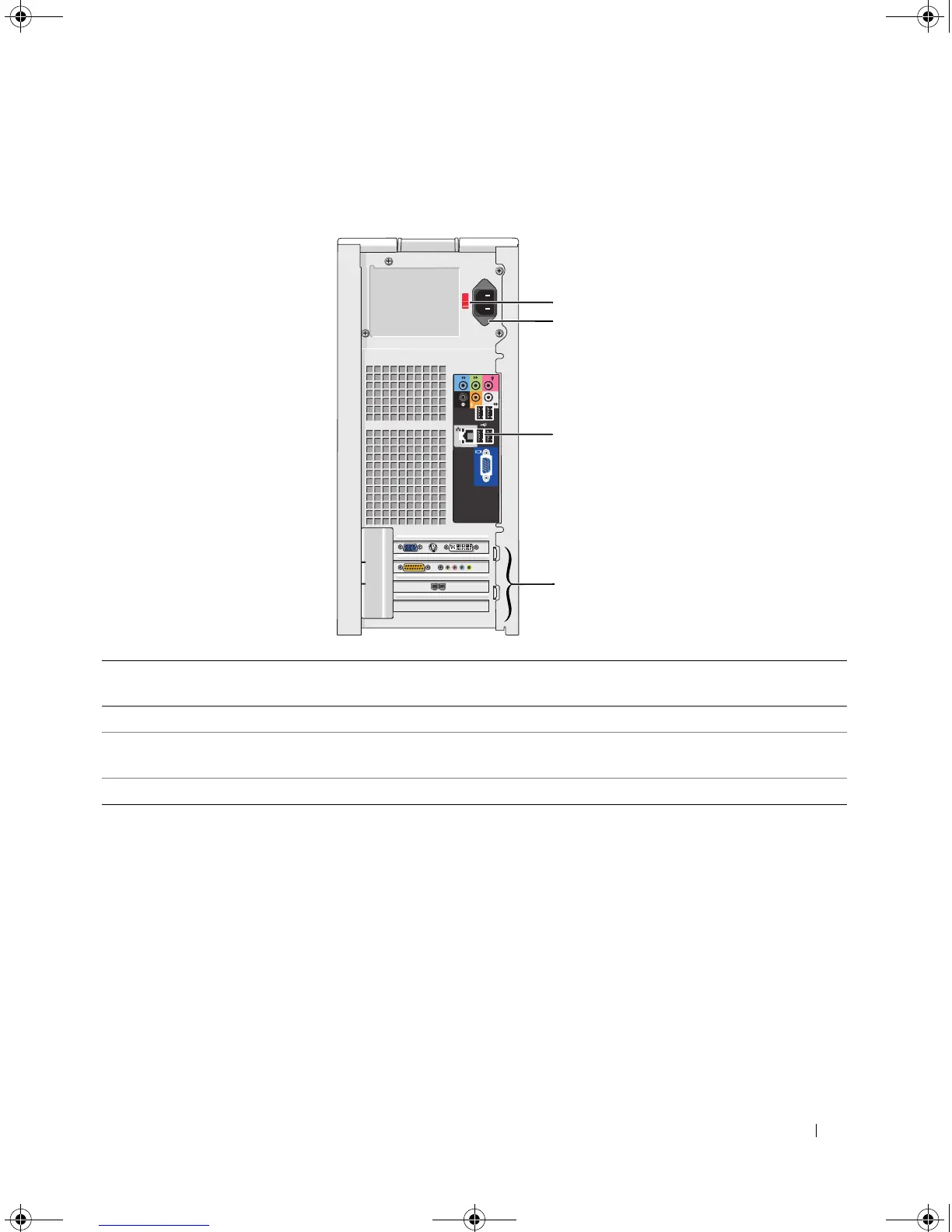
Back View of the Computer
1 voltage selection switch See the safety instructions in the Product Information Guide for more
information.
2 power connector Insert the power cable.
3 back panel connectors Plug USB, audio, and other devices into the appropriate connector.
See "Back Panel Connectors" on page 14 for more information.
4 card slots Access connectors for any installed PCI and PCI Express cards.
1
3
4
2
book.book Page 13 Monday, July 23, 2007 3:47 PM














 To Next Page