84 Removing and Installing Parts
1
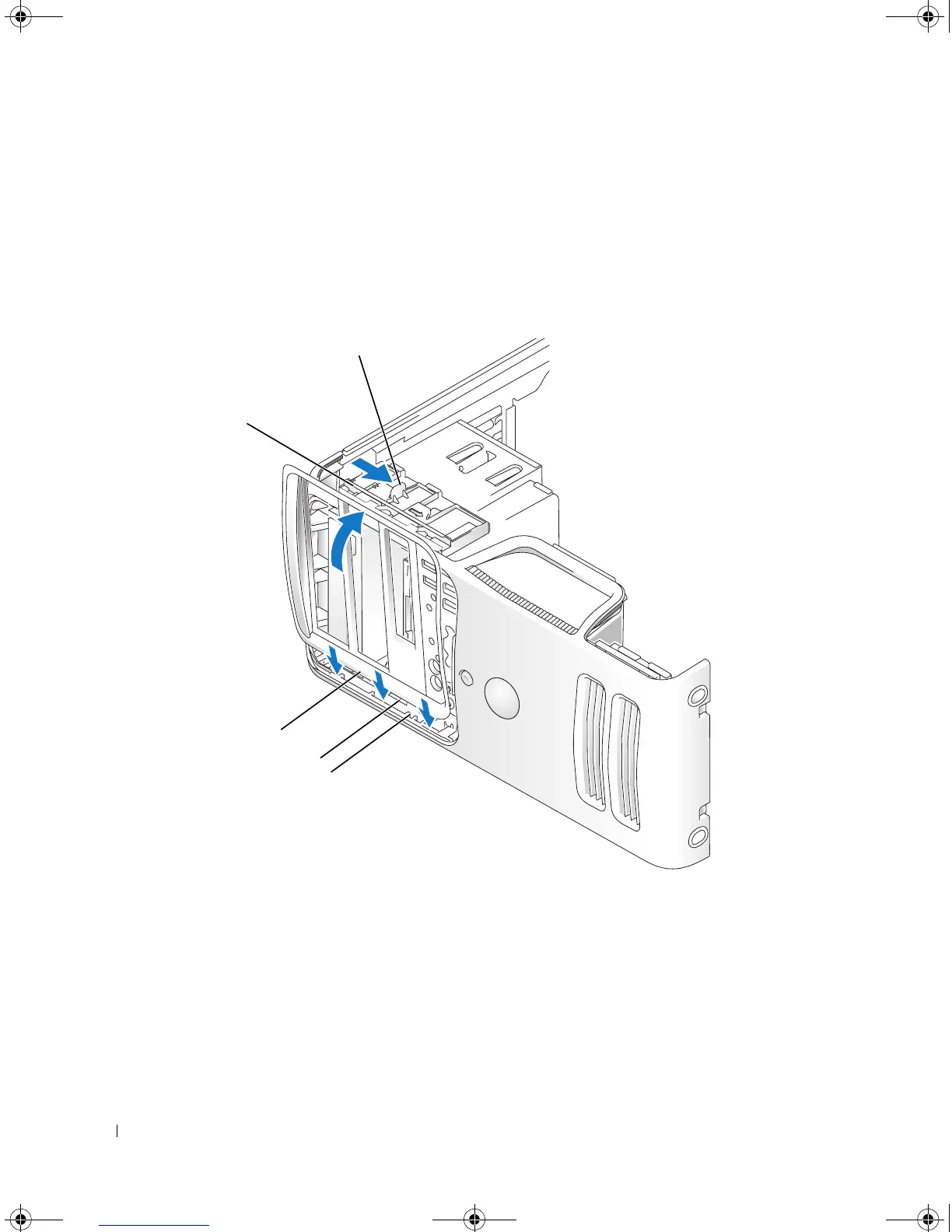
Slide the tab on the left side of the drive-panel insert under the center drive-panel tab.
2
Rotate the drive-panel insert into place and snap the drive-panel insert tab over the corresponding tab
on the drive panel.
Replacing the Drive Panel
1
Align the drive panel tabs with the side hinges.
2
Rotate the drive panel toward the computer until it snaps into place on the front panel.
1 sliding plate lever 2 sliding plate 3 drive panel
4 drive panel tabs (3) 5 side hinges
3
2
1
4
5
book.book Page 84 Monday, July 23, 2007 3:47 PM














 To Next Page