Removing and Installing Parts 83
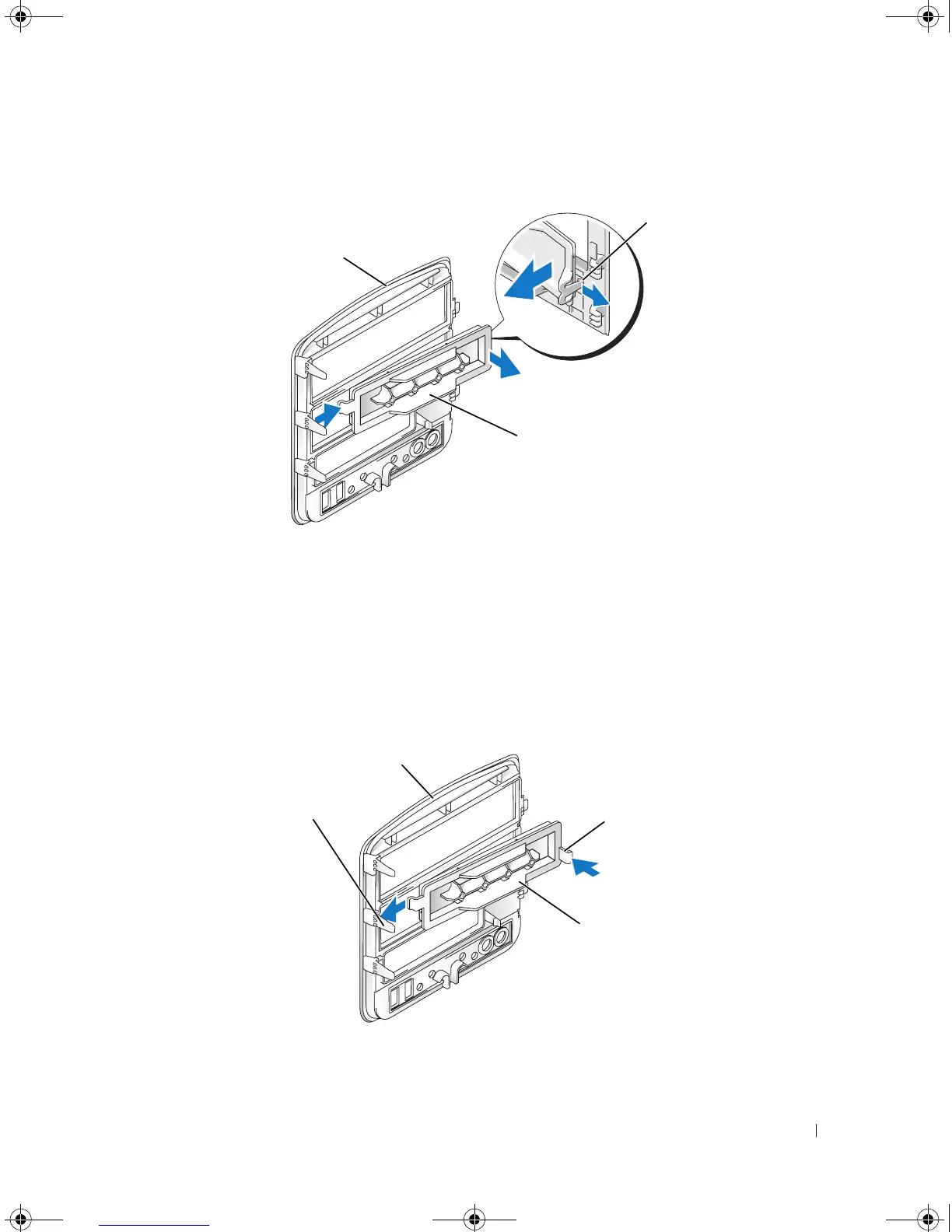
Removing the Drive-Panel Insert
1
Pull the drive-panel insert tab away from the drive panel insert to disengage the insert from the drive
panel.
2
Without releasing the tab, pivot the drive-panel insert out and away from the drive panel.
3
Set the drive-panel insert aside in a secure location.
Replacing the Drive-Panel Insert
1 drive panel 2 drive-panel insert tab 3 drive-panel insert
1 center drive-panel tab 2 drive panel 3 drive-panel insert tab
4 drive-panel insert
1
3
2
1
3
2
4
book.book Page 83 Monday, July 23, 2007 3:47 PM














 To Next Page