82 Removing and Installing Parts
3
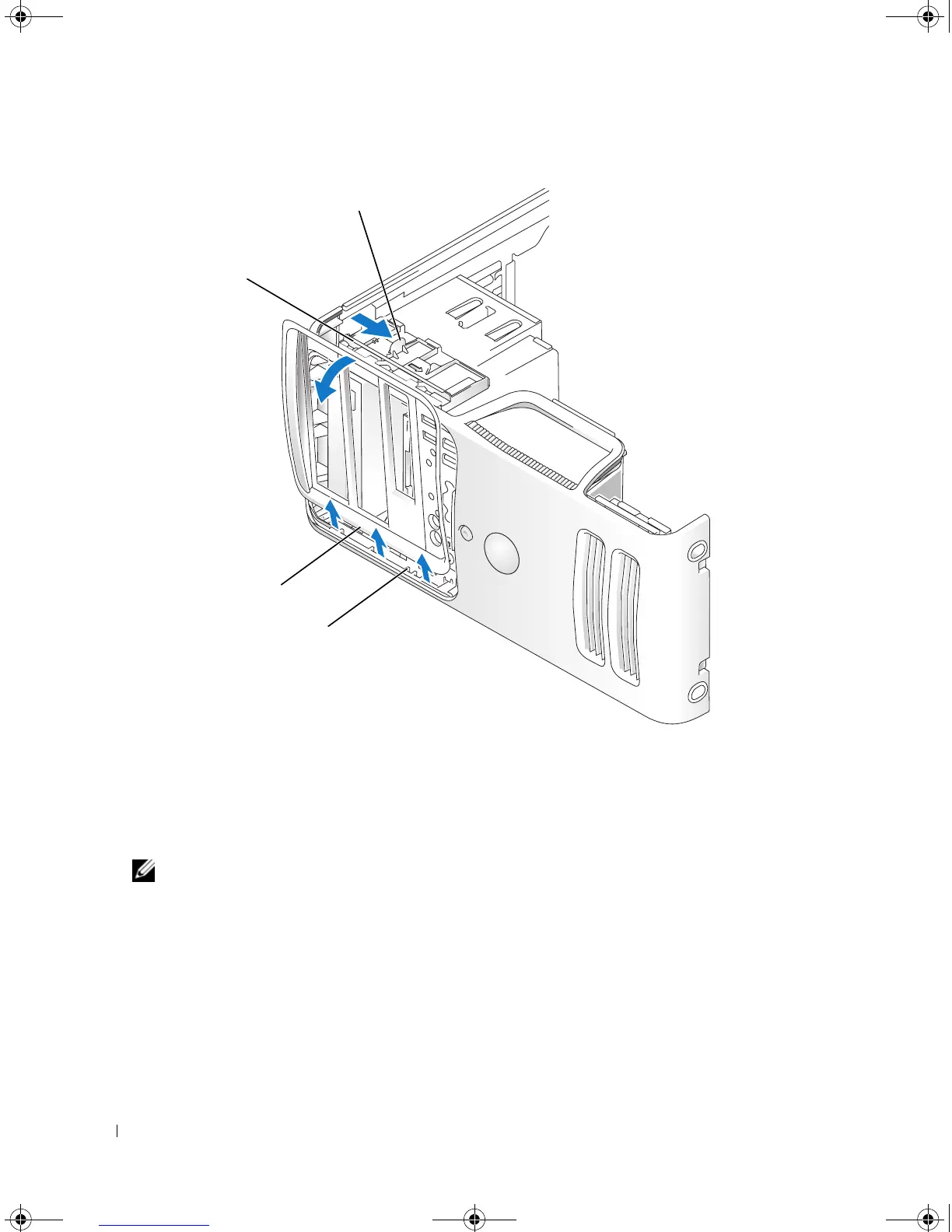
Grasping the lever on the sliding plate, pull the sliding plate to the right until it snaps into the open
position.
NOTE: This sliding plate secures and releases the drive panel and helps to secure the drives.
4
By pushing from the inside and pivoting the drive panel to the left, you can release the drive panel
from its side hinges.
5
Set the drive panel aside.
1 sliding plate lever 2 sliding plate 3 drive panel
4 side hinges
3
2
1
4
book.book Page 82 Monday, July 23, 2007 3:47 PM














 To Next Page