Removing and Installing Parts 63
Removing the Computer Cover
CAUTION: Before you begin any of the procedures in this section, follow the safety instructions in the
Product Information Guide.
CAUTION: To guard against electrical shock, always unplug your computer from the electrical outlet before
removing the cover.
1
Follow the procedures in "Before You Begin" on page 61.
NOTICE: Ensure that sufficient space exists to support the removed cover.
NOTICE: Ensure that you are working on a level, protected surface to avoid scratching either the computer or the
surface on which it is resting.
2
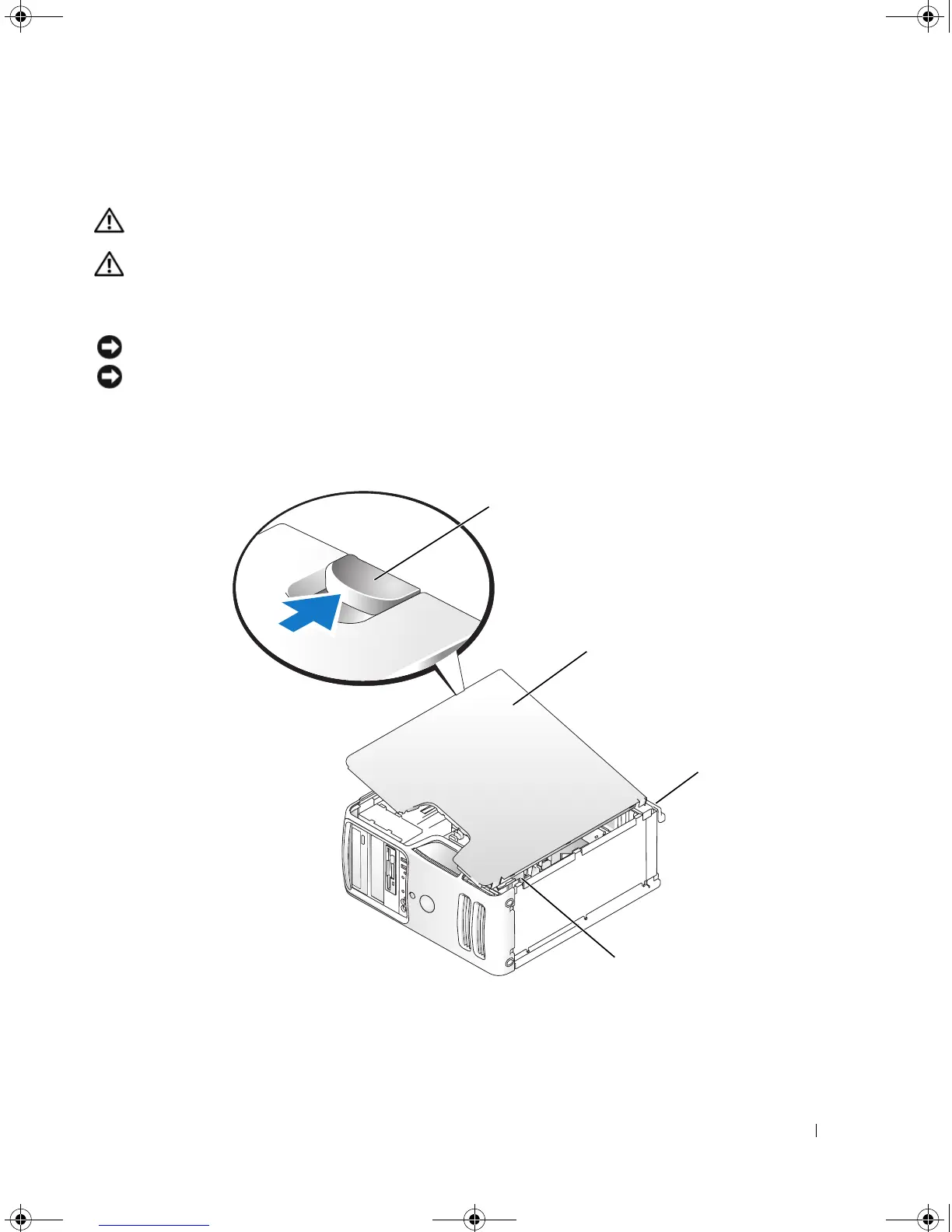
Lay your computer on its side with the computer cover facing up.
3
Pull back the cover latch release located on the top panel.
1 cover latch release 2 computer cover 3 back of computer
4 bottom hinge tabs
2
1
3
4
book.book Page 63 Monday, July 23, 2007 3:47 PM














 To Next Page