Removing and Installing Parts 79
NOTICE: Do not route card cables over or behind the cards. Cables routed over the cards can prevent the
computer cover from closing properly or cause damage to the equipment.
NOTICE: To connect a network cable, first plug the cable into the network device and then plug it into the computer.
11
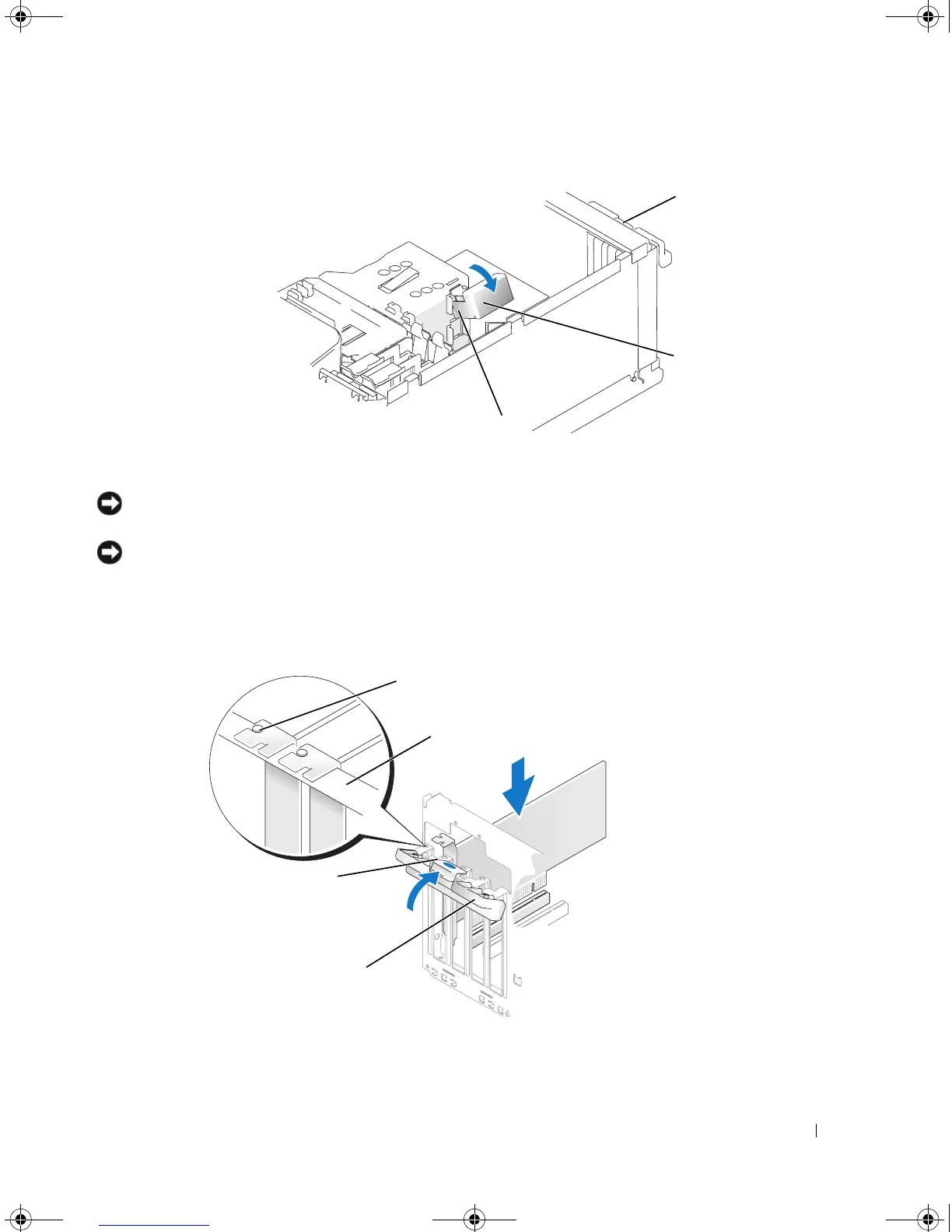
Before you close the card retention door, ensure that:
• The tops of all cards and filler brackets are flush with the alignment bar.
• The notch in the top of the card or filler bracket fits around the alignment guide.
1 card retention door 2 card retention mechanism 3 release tabs (2)
1 alignment guide 2 alignment bar 3 release tab
4 card retention door
1
3
2
2
4
3
book.book Page 79 Monday, July 23, 2007 3:47 PM














 To Next Page