Removing and Installing Parts 93
3
Disconnect the power and data cables from the back of the floppy drive.
NOTE: If you have installed a PCI Express x16 card, this card may cover the floppy-drive connectors. Remove this
card before disconnecting the floppy-drive cables
(see "Removing a PCI Express Card
" on page 80
)
4
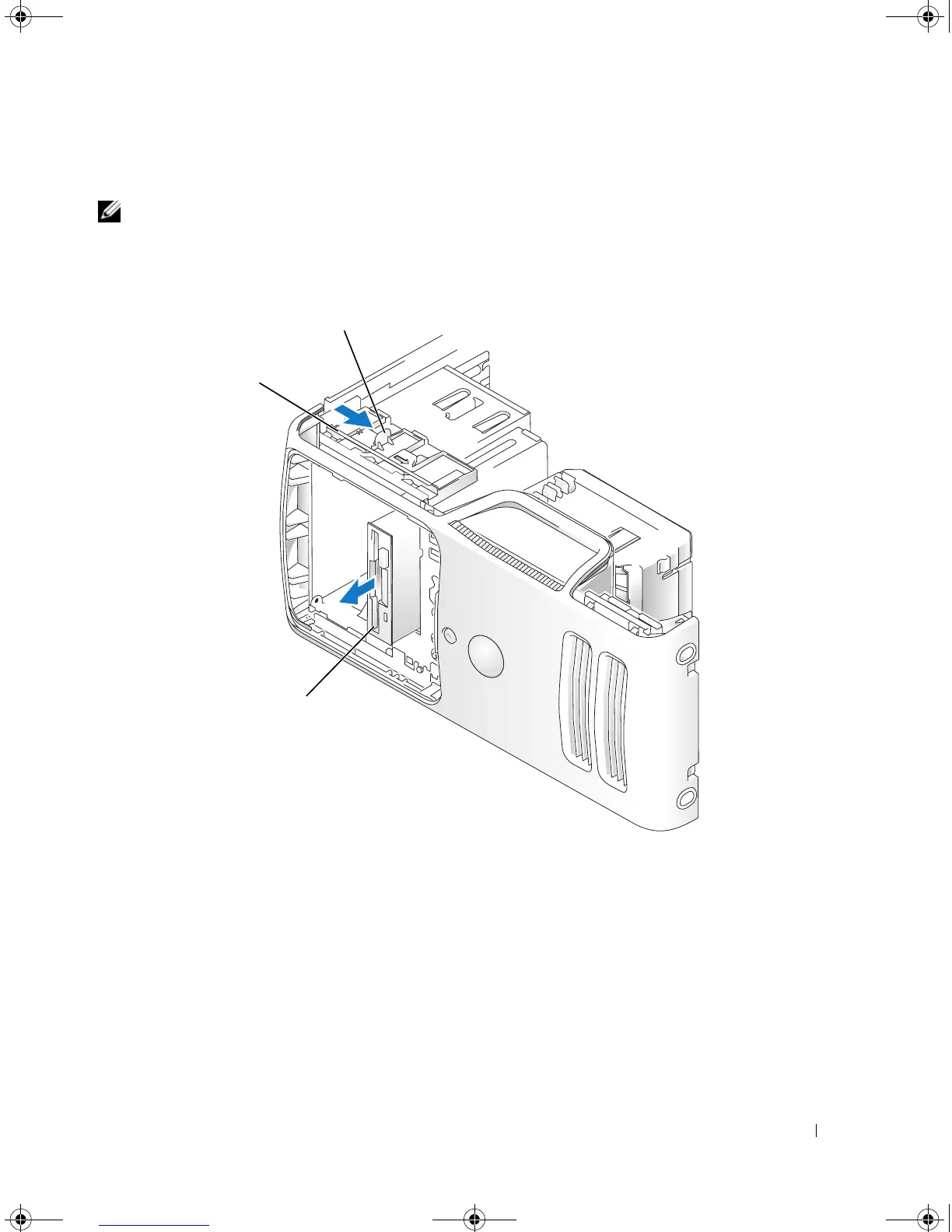
Slide the drive latch release toward the bottom of the computer and, without releasing the drive latch
release, slide the floppy drive out through the front of the computer.
5
If you are not replacing the drive, reinstall the drive panel insert (see "Replacing the Drive-Panel Insert"
on page 83).
6
Replace the computer cover (see "Replacing the Computer Cover" on page 105).
7
Connect your computer and devices to electrical outlets, and then turn them on.
8 Check the System Step for the appropriate diskette Drive Option changes
(see "Entering System Setup
" on
page 111
).
1 drive latch release 2 sliding plate 3 floppy drive
3
2
1
book.book Page 93 Monday, July 23, 2007 3:47 PM














 To Next Page