Removing and Installing Parts 97
3
Disconnect the FlexBay USB cable from the back of the Media Card Reader and from the internal
USB connector on the system board (see "System Board Components" on page 65) and remove the
cable from the cable routing clip.
4
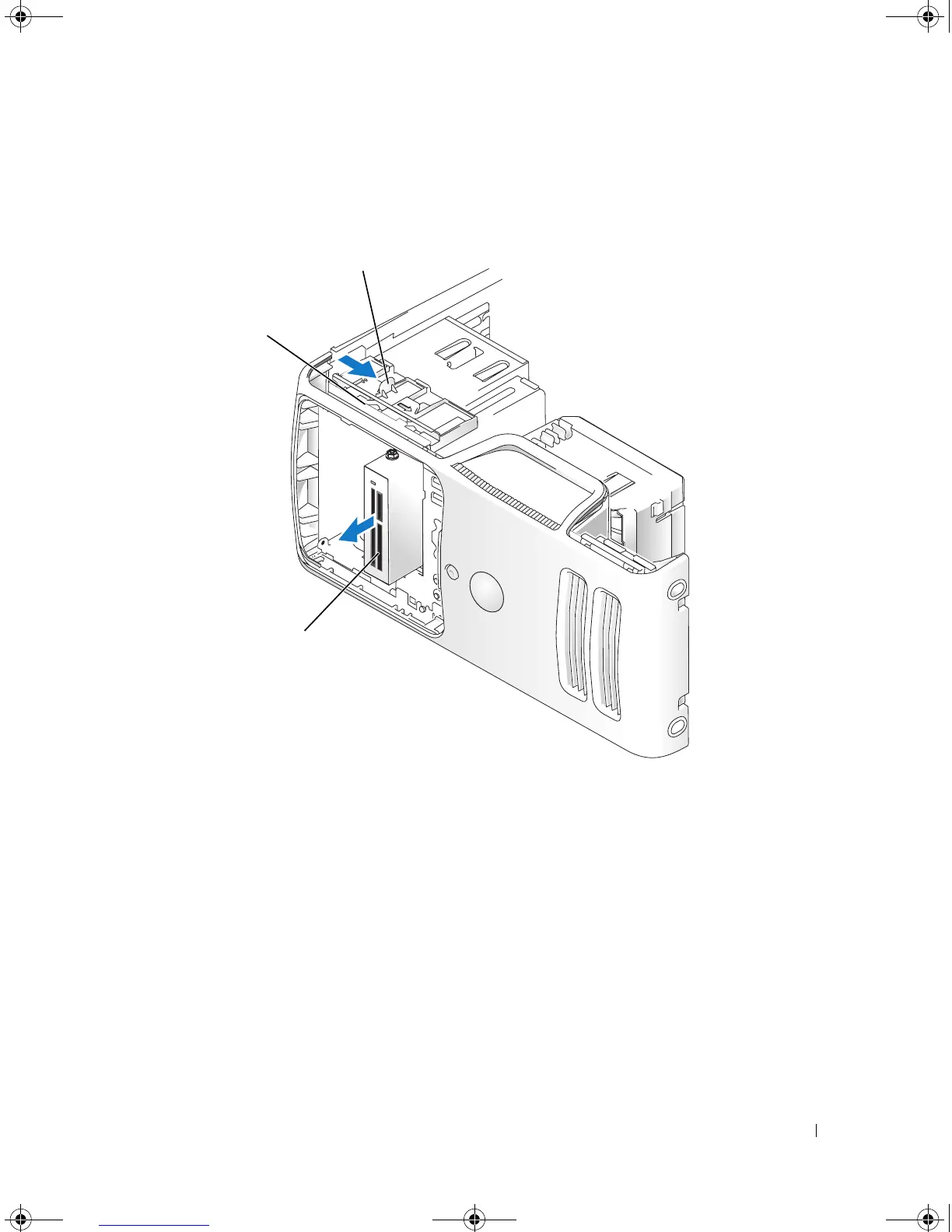
Slide the drive latch release toward the bottom of the computer and, without releasing the drive latch
release, slide the Media Card Reader out through the front of the computer.
5
If you are not replacing the Media Card Reader, reinstall the drive panel insert, as needed (see
"Replacing the Drive-Panel Insert" on page 83).
6
Replace the drive panel (see "Replacing the Drive Panel" on page 84).
7
Connect your computer and devices to electrical outlets, and then turn them on.
1 drive latch release 2 sliding plate 3 Media Card Reader
3
2
book.book Page 97 Monday, July 23, 2007 3:47 PM














 To Next Page