Removing and Installing Parts 99
6
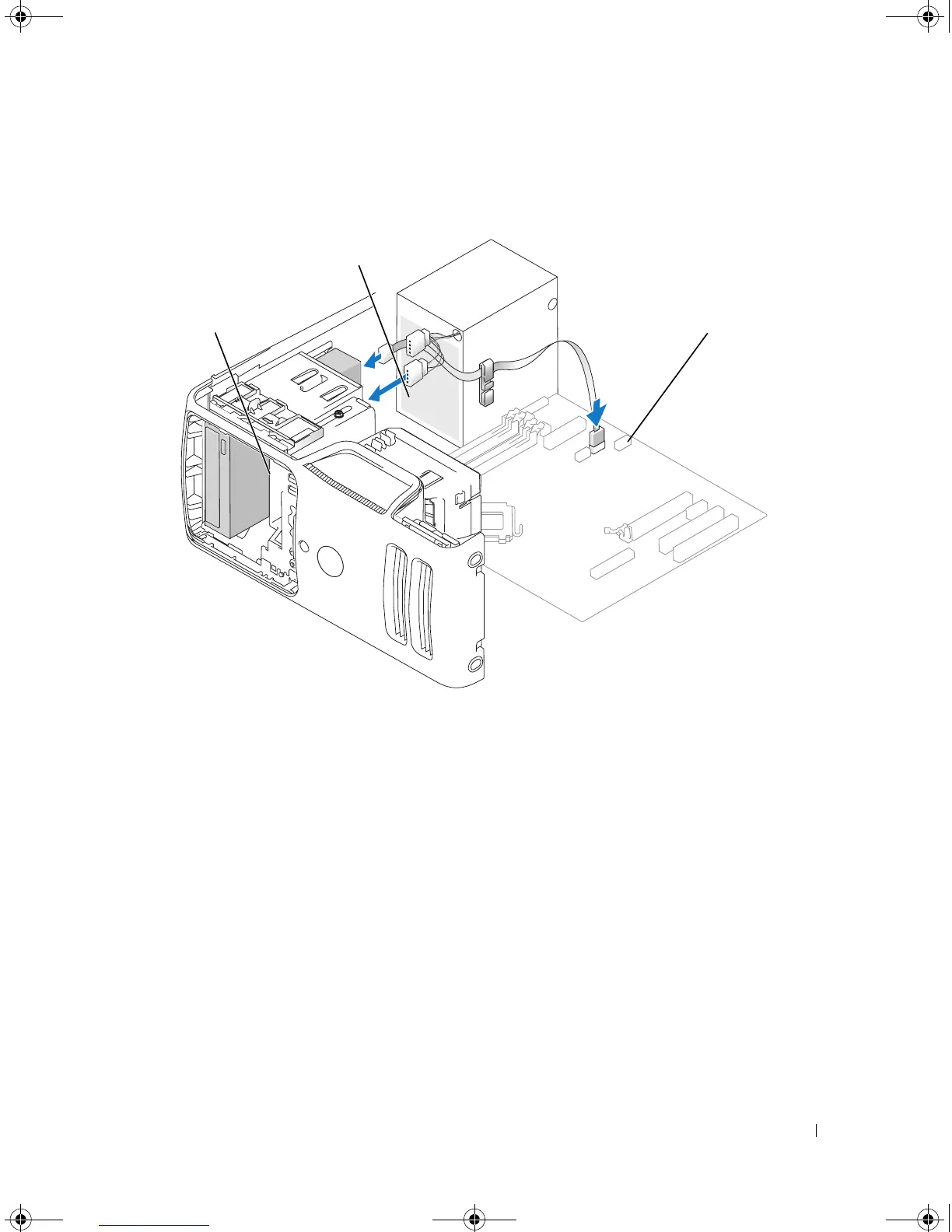
Connect the FlexBay USB cable to the back of the Media Card Reader and to the internal USB
connector on the system board (see "System Board Components" on page 65).
7
Route the FlexBay USB cable through the cable routing clip.
8
Replace the computer cover (see "Replacing the Computer Cover" on page 105).
9
Connect your computer and devices to electrical outlets, and then turn them on.
1 Media Card Reader 2 USB cable 3 USB connector
2
1
3
book.book Page 99 Monday, July 23, 2007 3:47 PM














 To Next Page