d. Make a note of the International Mobile Equipment Identity (IMEI) and the Integrated Circuit Card Identifier
(ICCID).
Ubuntu OS
Open a Terminal window.
a. Go to super user mode by entering:$sudo su -
b. Configure the Mobile Broadband connection profile:
#nmcli con add type gsm ifname ttyACM3 con-name <connection name> apn
<apn> user <user name> password <password>
c. Connect to the mobile network: #nmcli con up <connection name>
To disconnect from the mobile network: #nmcli con down <connection name>.
Setting up the ZigBee dongle
1. Shut down the Embedded Box PC.
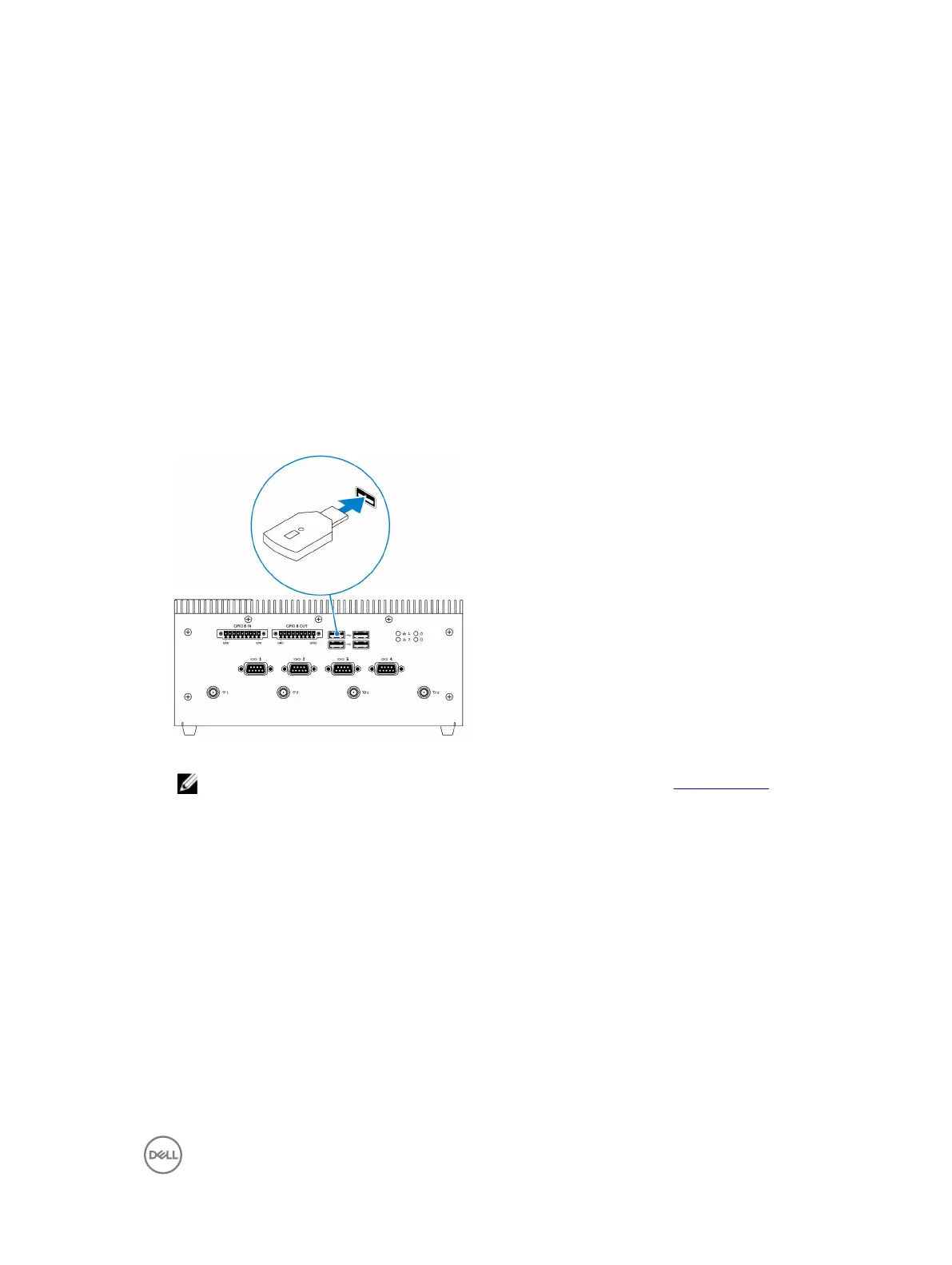
2. Connect the ZigBee dongle to any external USB port on the Embedded Box PC.
3. Turn on the Embedded Box PC and complete the setup.
NOTE: For ZigBee development information, see the SiLabs developer website at www.silabs.com or contact
the network system’s application provider.
Connector kits
Remote power connector
Use the remote power connector to install the remote power switch.
23


 To Next Page