1
Overview
This chapter provides an overview of the Embedded Box PC.
Top view
Features
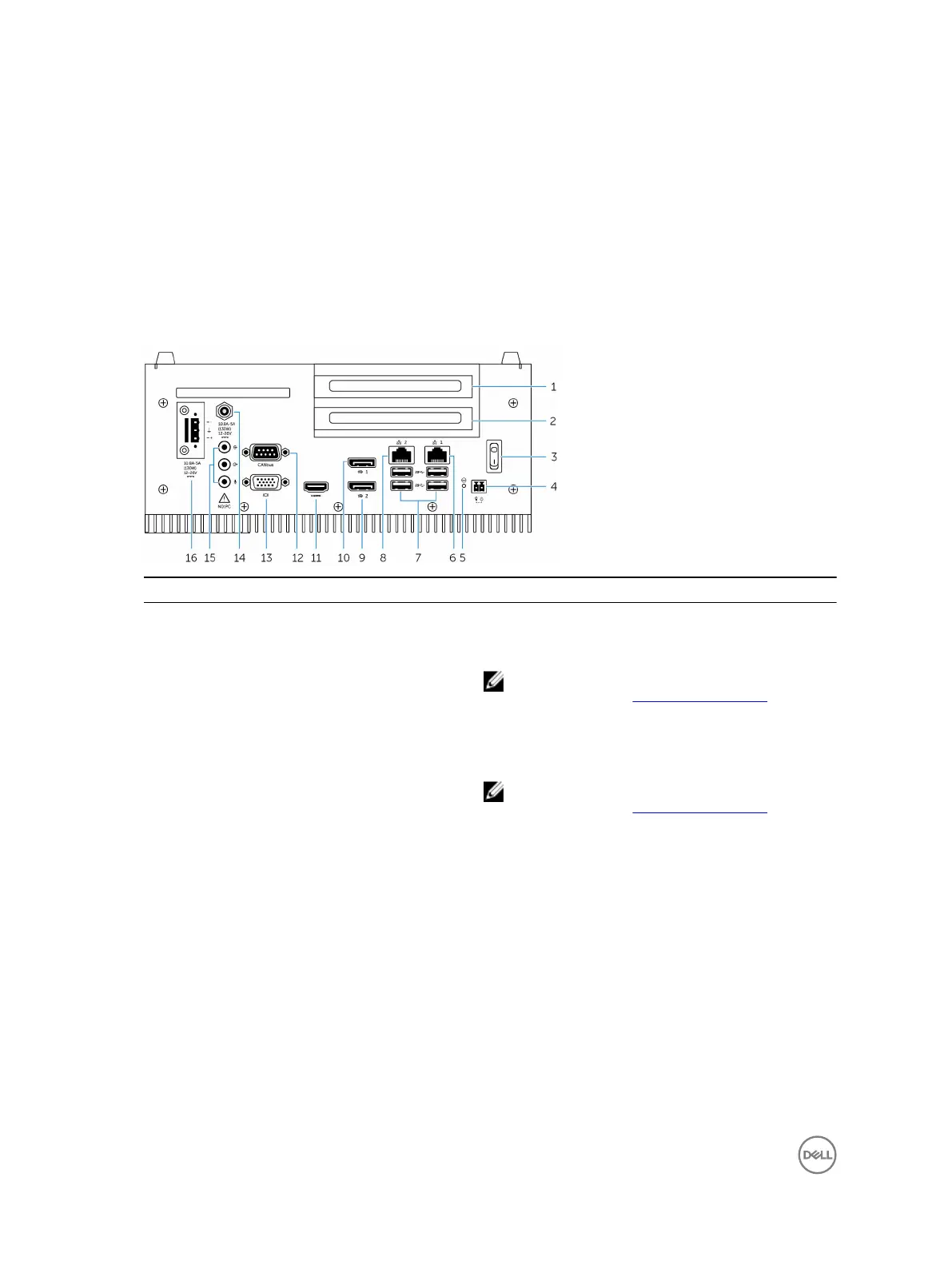
1 PCI slot one
Install a PCI card or a PCIe card and PCIe riser card.
Maximum supported card size: Height 111.15 mm (4.38
inches), length 167.65 mm (6.6 inches)
NOTE: For more information about supported PCI/PCIe
configurations, see
PCI/PCIe specifications.
2 PCIe (x16) slot or PCI slot two
Install a PCIe card or a PCI card and PCI riser card.
Maximum supported card size: Height 111.15 mm (4.38
inches), length 167.65 mm (6.6 inches)
NOTE: For more information about supported PCI/PCIe
configurations, see
PCI/PCIe specifications.
3 Power switch Turn on or off the Embedded Box PC.
4 Remote power switch
1
Install a remote power switch.
5 Hard reset Using a pin, press the button located in the pin hole to
restart the Embedded Box PC.
6 Network port one Connect an Ethernet (RJ45) cable for network access.
Provides data transfer speeds up to 10/100/1000 Mbps.
7 USB 3.0 ports (4) Connect USB enabled devices. Provides data transfer
speeds up to 5 Gbps.
8 Network port two Connect an Ethernet (RJ45) cable for network access.
Provides data transfer speeds up to 10/100/1000 Mbps.
9 DisplayPort two Connect a monitor or another DisplayPort enabled device.
Provides video and audio output.
6


 To Next Page