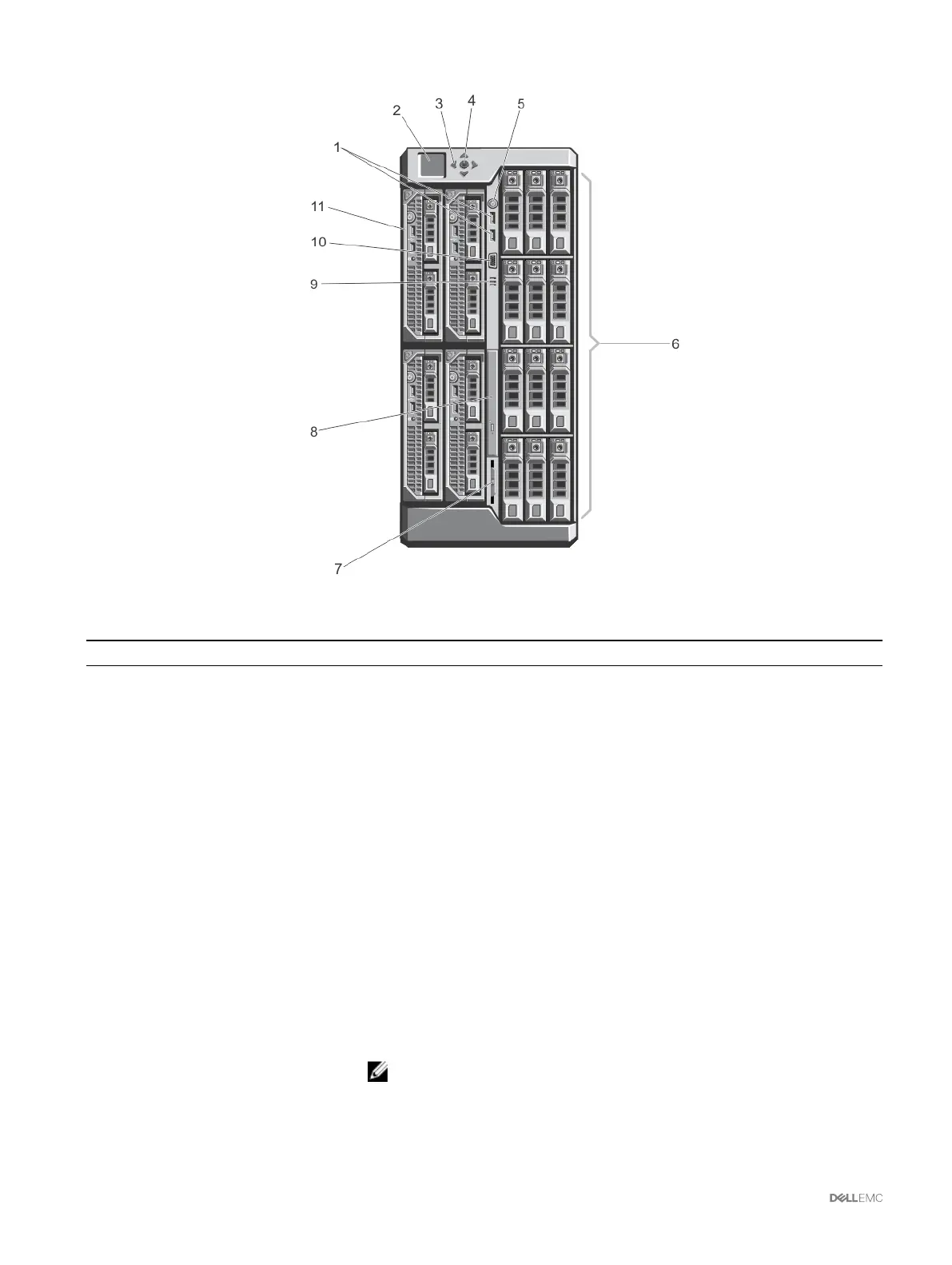
Figure 3. Front-Panel Features And Indicators—3.5 Inch Hard Disk Drive Chassis
Table 3. Front panel — features and indicators
Item Indicator, Button, or Connector Description
1 USB connectors (2) Allows a keyboard and mouse to be connected to the system.
2 LCD panel Provides system information and status, and error messages to indicate when the
system is operating correctly or when the system needs attention.
3 LCD menu scroll buttons (4) Moves the cursor in one-step increments.
4 Selection ("check") button Selects and saves an item on the LCD screen and moves to the next screen.
5 Enclosure power-on indicator, power
button
The power-on indicator glows when the enclosure power is on. The power button
controls the PSU output to the system.
6 Hard disk drives (HDD)
2.5 inch hard drive
enclosure
Up to twenty-ve 2.5 inch hot-swappable hard disk drives.
3.5 inch hard drive
enclosure
Up to twelve 3.5 inch hot-swappable hard disk drives.
7 Information tag A slide-out label panel which allows you to record system information such as Service
Tag, NIC, MAC address, the system's electrical rating, and Worldwide Regulatory
Agency marks.
8 Optical drive (optional) One optional SATA DVD-ROM drive or DVD+/-RW drive.
9 Vents Vents for the temperature sensor.
NOTE: To make sure about proper cooling, verify that the vents are not
blocked.
10 Video connector Allows a monitor to be connected to the system.
18



 To Next Page