Setting up your wireless keyboard
13
Setting up your wireless keyboard
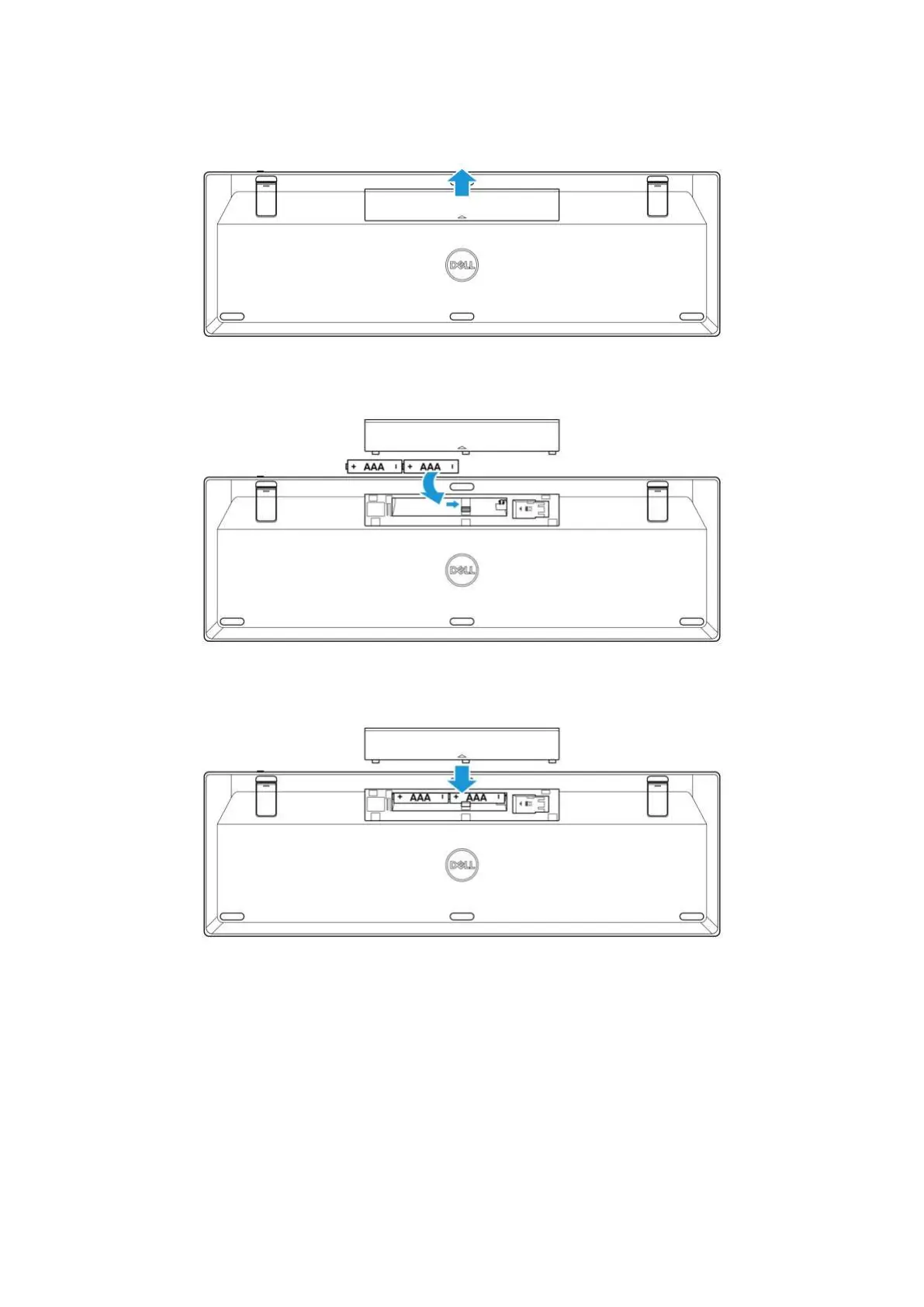
1. Remove the battery cover.
Figure 18. Removing the battery cover
2. Install the AAA batteries into the battery compartment.
Figure 19. Installing the batteries
3. Replace the battery cover.
Figure 20. Replacing the battery cover


 To Next Page