Pairing your wireless keyboard
14
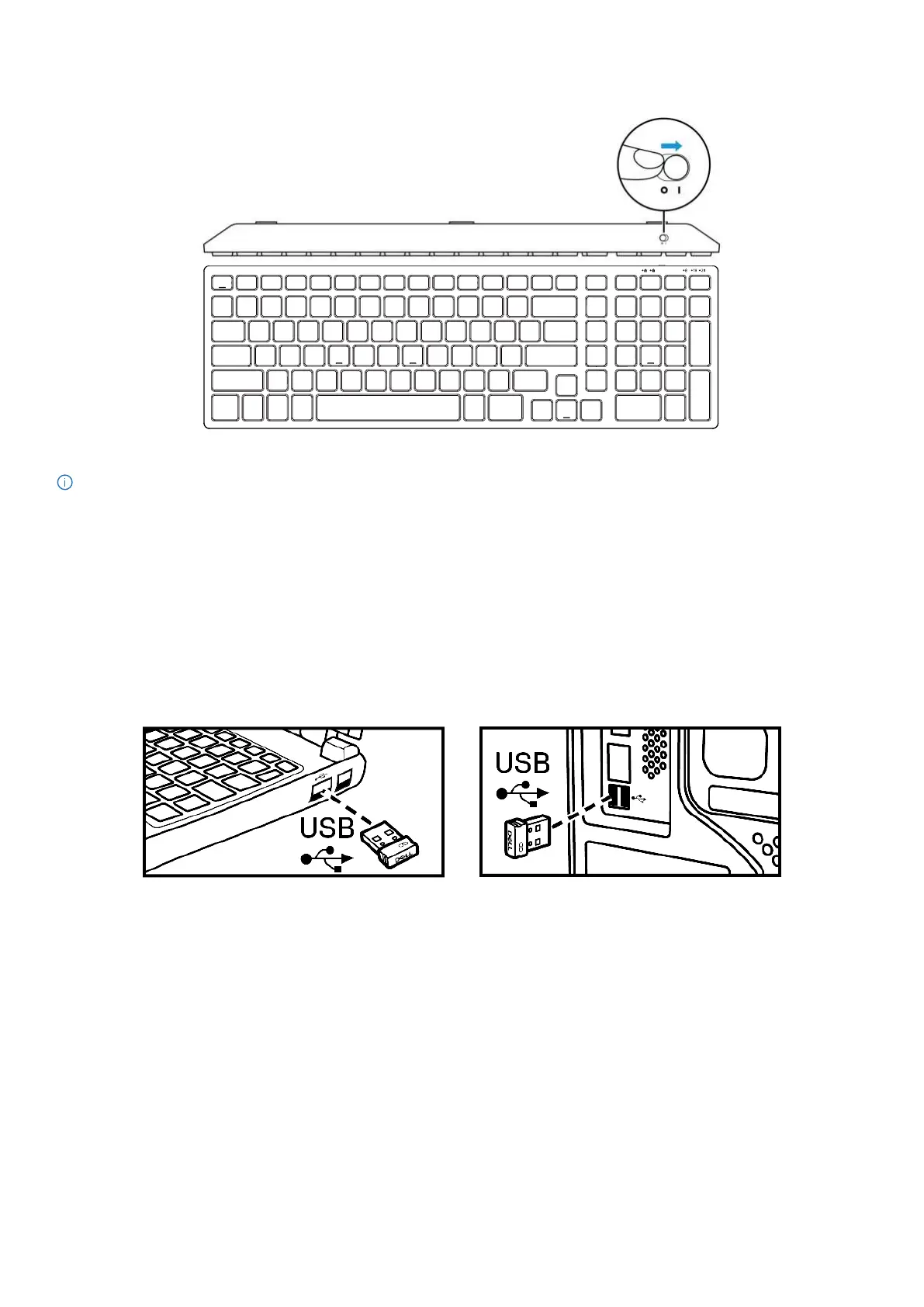
4. Slide the power switch to the right to turn on the wireless keyboard.
Figure 21. Turning on the keyboard
NOTE: Ensure that the distance between your computer and wireless keyboard is within ten meters.
Pairing your wireless keyboard
Your Dell wireless keyboard can be paired with devices using either the Dell Secure Link USB Receiver or Bluetooth. You can pair and switch
between a laptop, desktop, or any compatible mobile device.
Pairing your wireless keyboard using the Dell Secure Link USB Receiver
To pair your wireless keyboard using the Dell Secure Link USB Receiver, connect the Dell Secure Link USB Receiver to the USB port of your
computer.
Laptop Desktop
Figure 22. Connecting the Dell Secure Link USB Receiver


 To Next Page