Setting up your wireless mouse
8
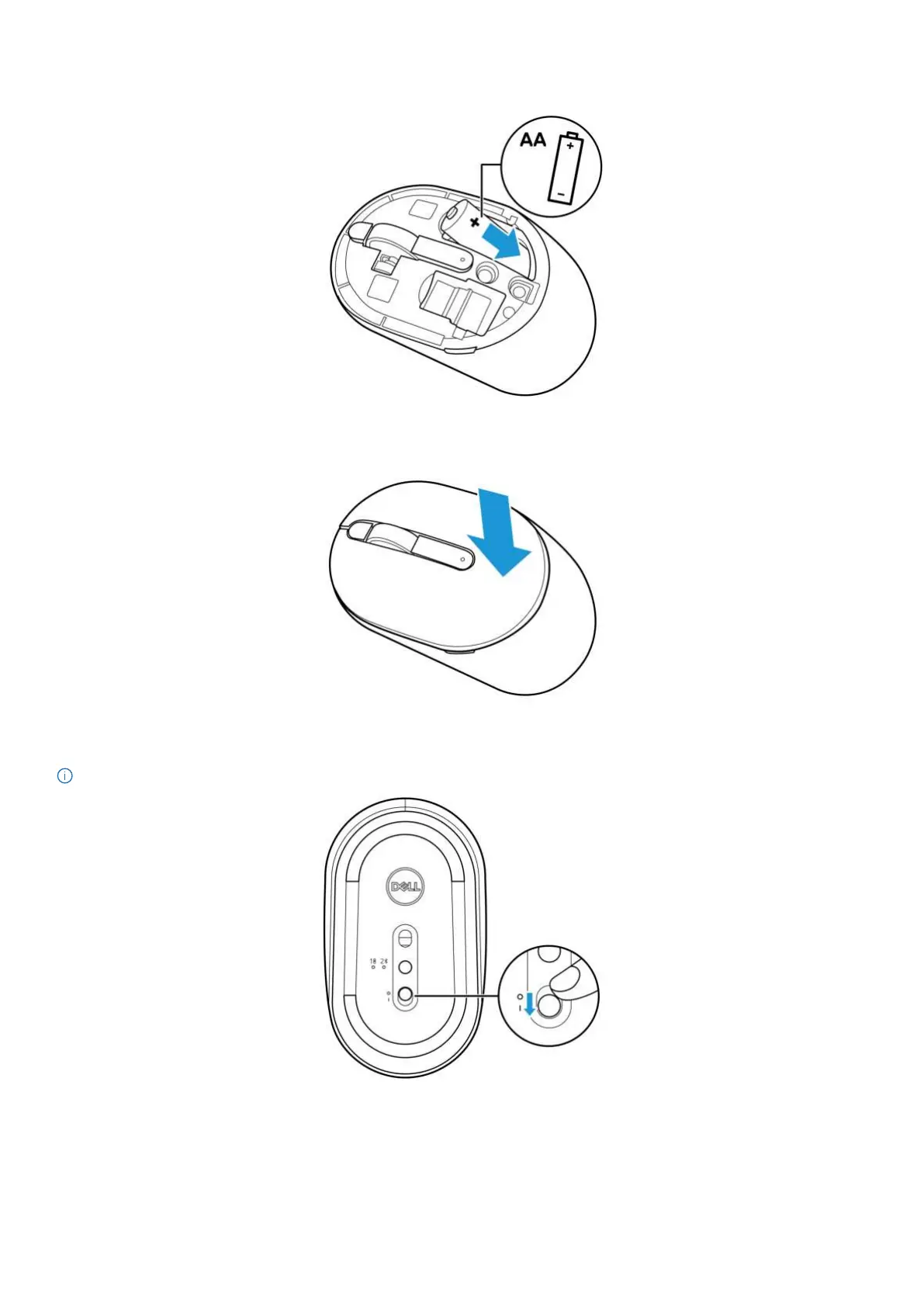
3. Install the AA battery into the battery compartment.
Figure 5. Installing the battery
4. Replace the mouse cover.
Figure 6. Replacing the mouse cover
5. Slide the power switch to turn on the mouse.
NOTE: Ensure that the distance between your computer and mouse is within ten meters.
Figure 7. Turning on the mouse


 To Next Page