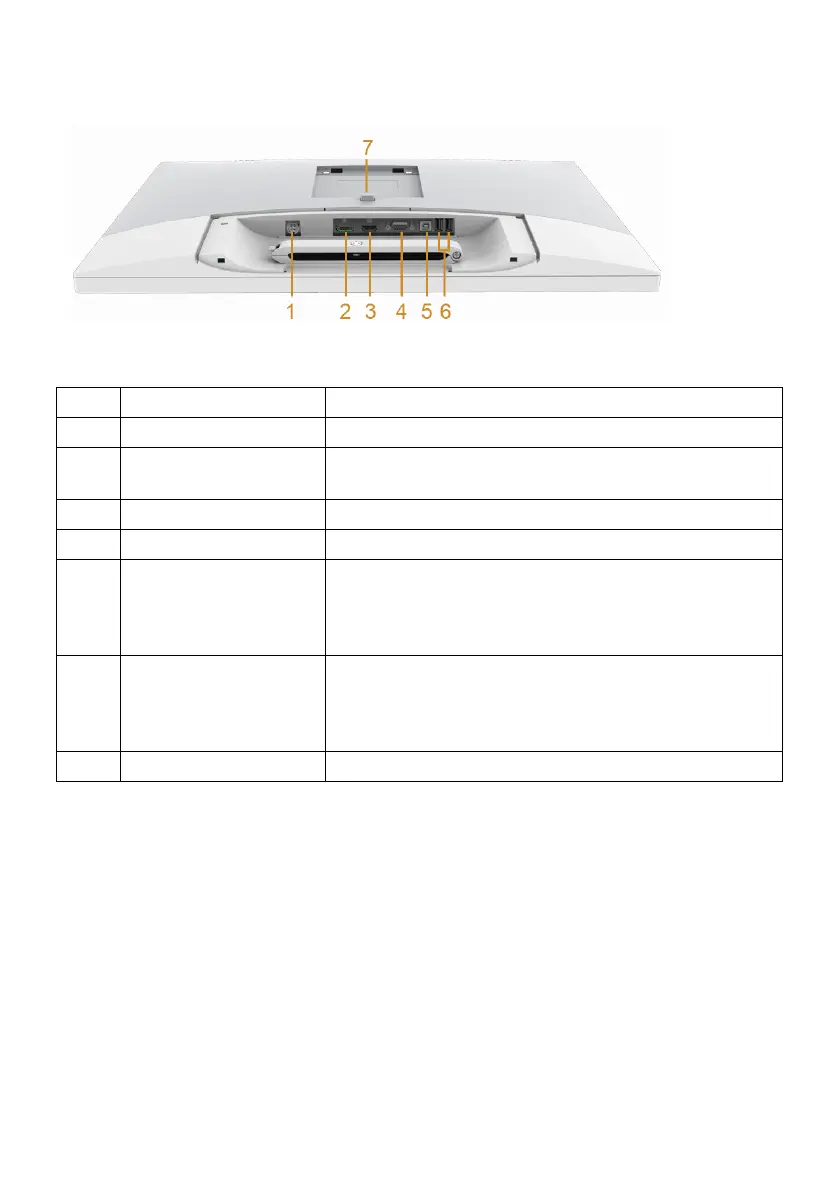
Bottom view without monitor stand
Label Description Use
1 Adapter connector Connect the power cable.
2 DisplayPort in
conn
ector
Connect your computer with DP cable.
3 HDMI port connector Connect your computer with HDMI cable.
4 VGA connector Connect your computer with VGA cable.
5 USB upstream port Connect the USB cable that came with your monitor
t
o the monitor and the computer. Once this cable is
connected, you can use the USB connectors on the
monitor.
6 USB downstream port Connect your USB device. You can only use this
conn
ector after you have connected the USB cable to
the computer and USB upstream connector on the
monitor.
7 Stand release button Releases stand from monitor.
18 | About Your Monitor
Bottom View








 To Next Page