Installing the Hard Drive
1. Slide the hard drive in to its slot in the computer.
2. Tighten the screw to secure the hard drive to the computer.
3. Install:
a) access panel
b) SD card
c) battery
4. Follow the procedures in
After Working Inside Your Computer
.
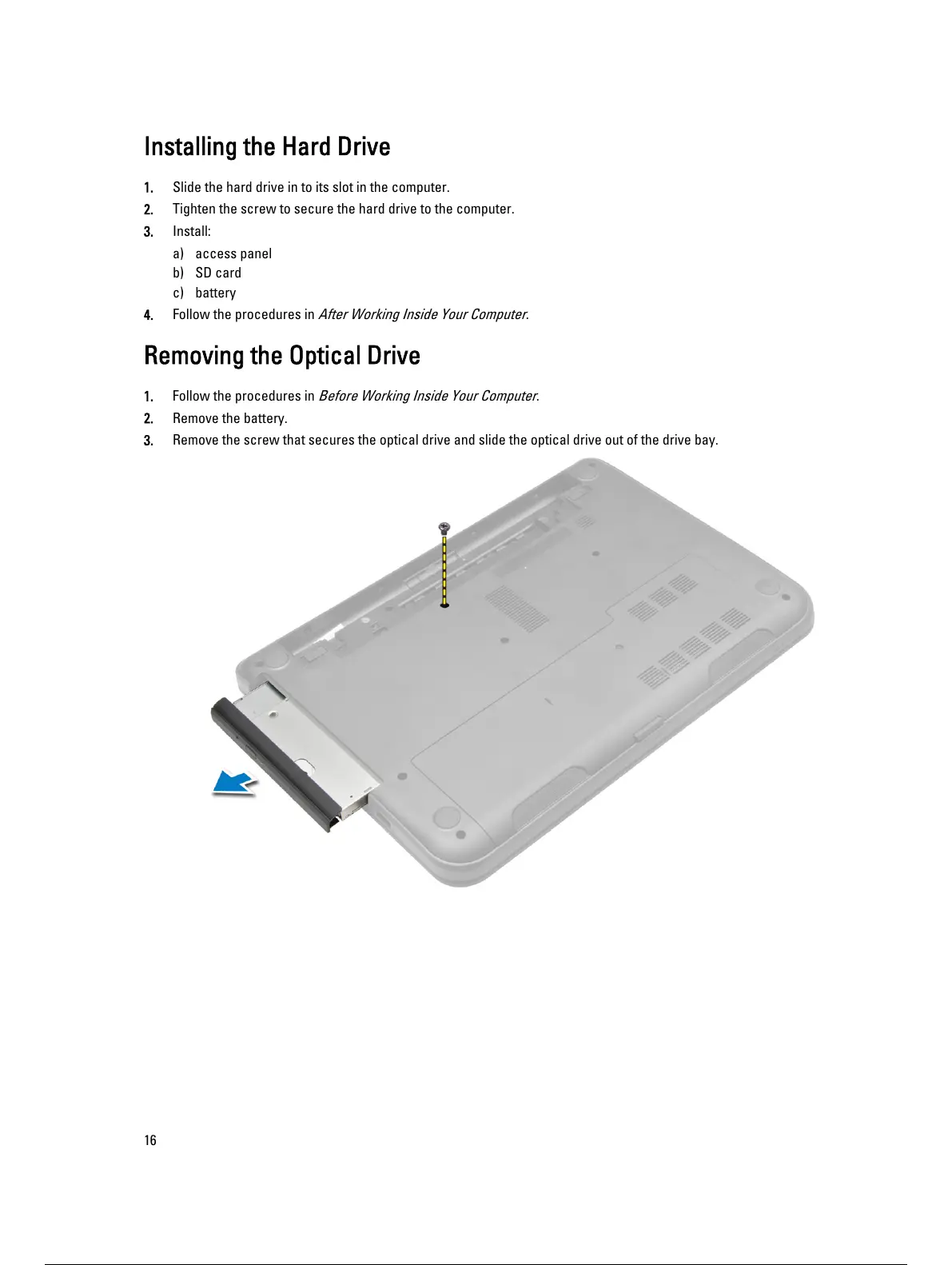
Removing the Optical Drive
1. Follow the procedures in
Before Working Inside Your Computer
.
2. Remove the battery.
3. Remove the screw that secures the optical drive and slide the optical drive out of the drive bay.
16
17 / 59 16 / 57 17 / 59


 To Next Page