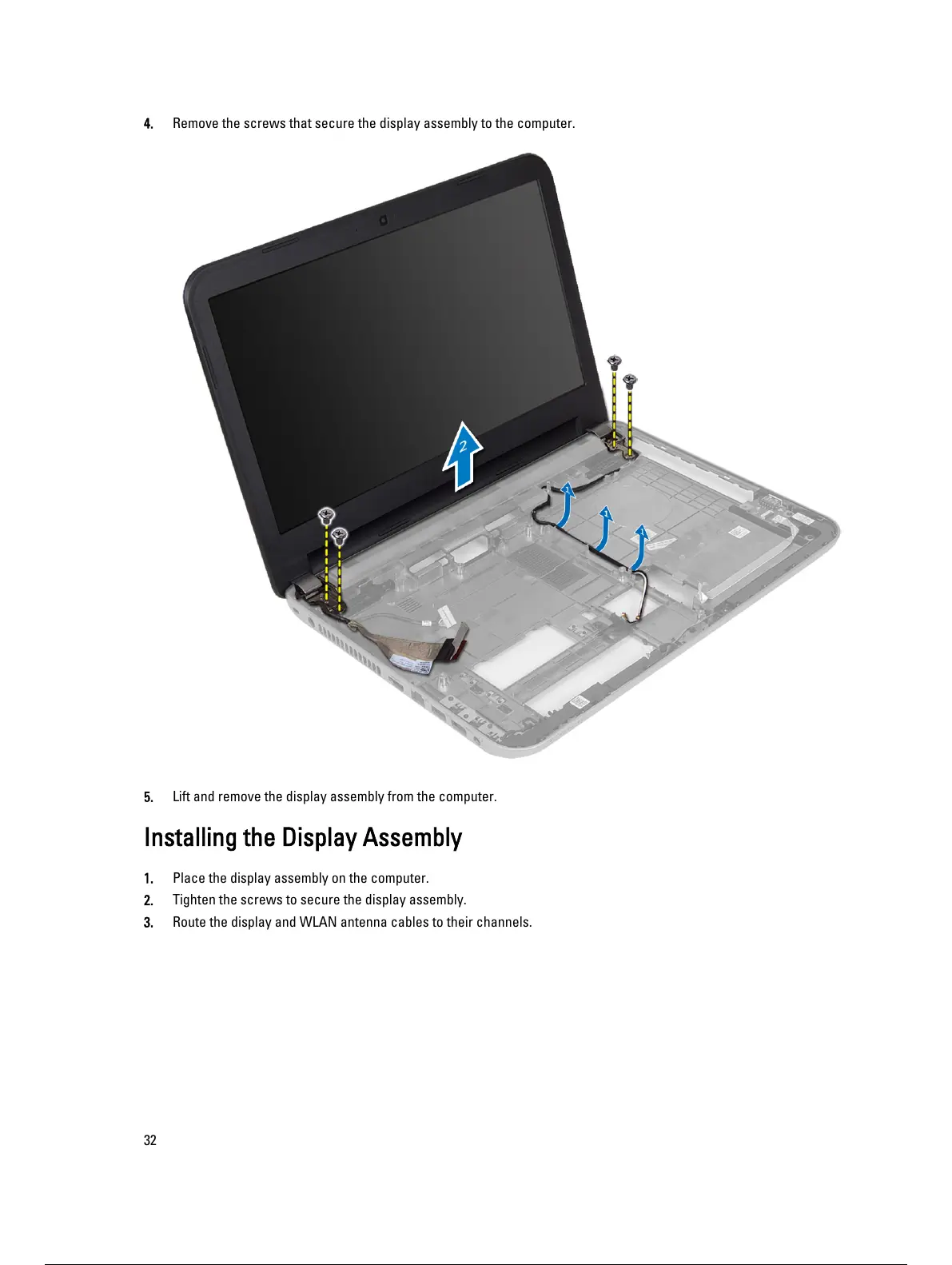
4. Remove the screws that secure the display assembly to the computer.
5. Lift and remove the display assembly from the computer.
Installing the Display Assembly
1. Place the display assembly on the computer.
2. Tighten the screws to secure the display assembly.
3. Route the display and WLAN antenna cables to their channels.
32
33 / 59 32 / 57 33 / 59


 To Next Page