Installing the Palmrest
1. Align and press the palmrest on the computer until it snaps into place on all the sides.
2. Connect the touchpad and power-button cables to the system board.
3. Tighten the screws to secure the palmrest to the system board.
4. Flip the computer and tighten the screws to secure the palmrest to the computer.
5. Install:
a) keyboard
b) access panel
c) SD card
d) battery
6. Follow the procedures in
After Working Inside Your Computer
.
Removing the I/O Board
1. Follow the procedures in
Before Working Inside Your Computer
.
2. Remove:
a) battery
b) SD card
c) access panel
d) keyboard
e) palmrest
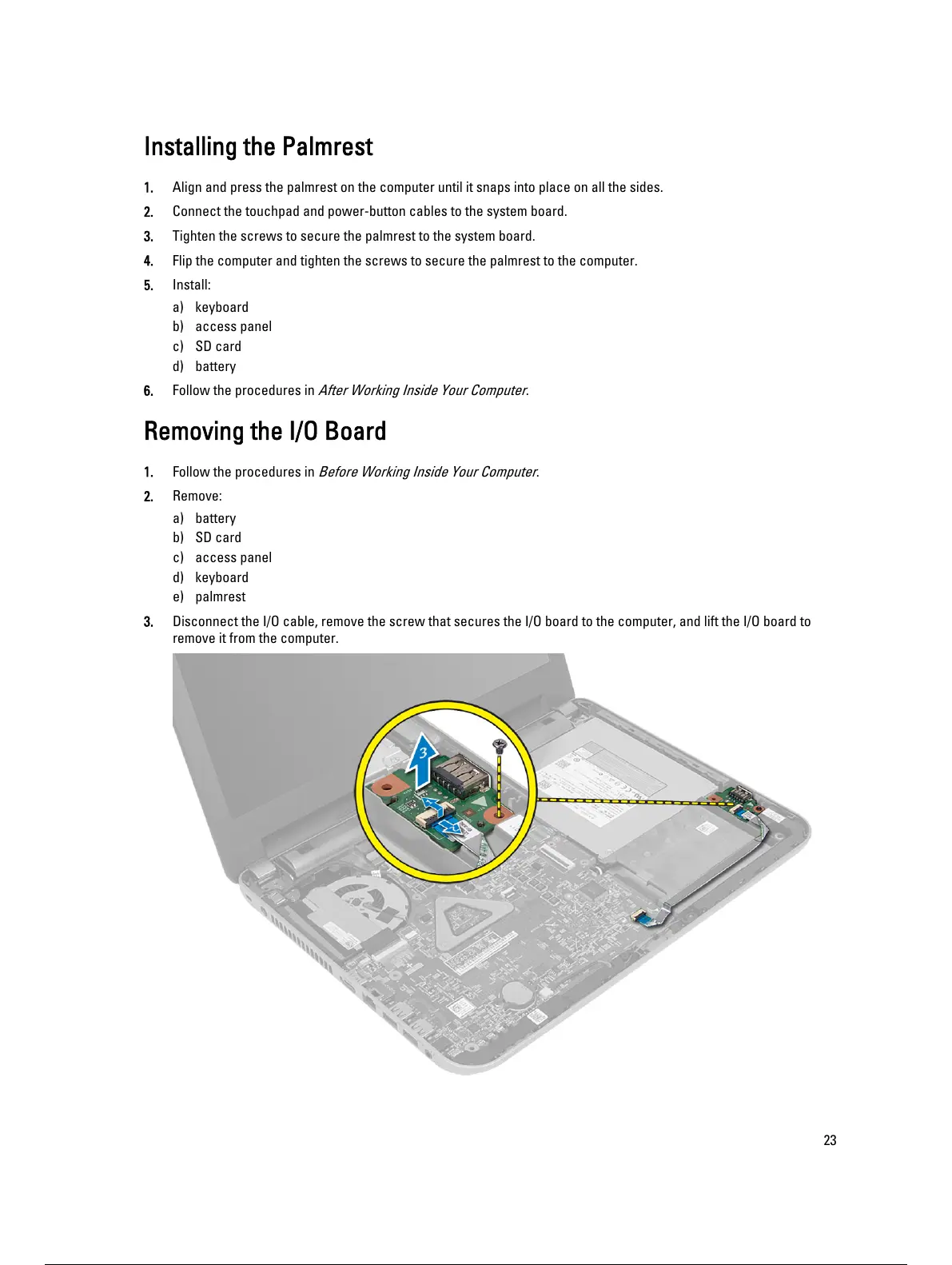
3. Disconnect the I/O cable, remove the screw that secures the I/O board to the computer, and lift the I/O board to
remove it from the computer.
23
24 / 59 23 / 57 24 / 59



 To Next Page