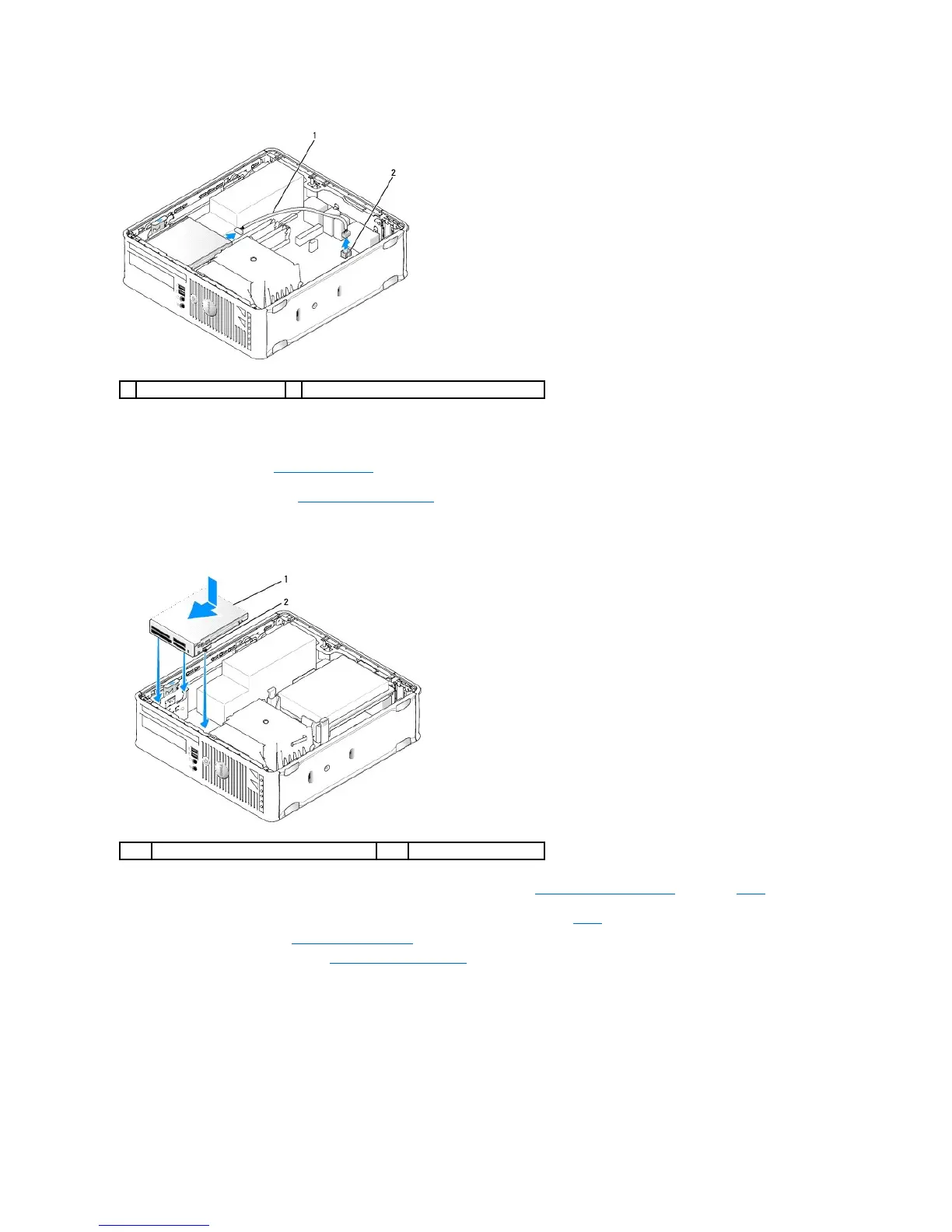
8. Pull the drive release latch and slide the media card reader towards the back of the computer. Then lift up to remove the media card reader from the
computer.
9. Replace the hard drive (see Installing a Hard Drive).
10. Replace the computer cover (see Replacing the Computer Cover).
Installing a Media Card Reader
1. If you are replacing a media card reader, remove the installed media card reader (see Removing a Media Card Reader), and skip to step3.
2. If you are installing a new media card reader, perform the following steps before continuing to step3:
a. Follow the procedures in Working on Your Computer.
b. Remove the computer cover (see Removing the Computer Cover).
c. Lay the computer on its side so that the system board is on the bottom of the inside of the computer.
d. Remove the drive panel insert.
3. Align the screws on the media card reader with the bracket slots in the computer, and gently position the drive until it clicks into place.
4. Connect the cable into the connectors on the media card reader and INT_USB connector on the system board.













 To Next Page