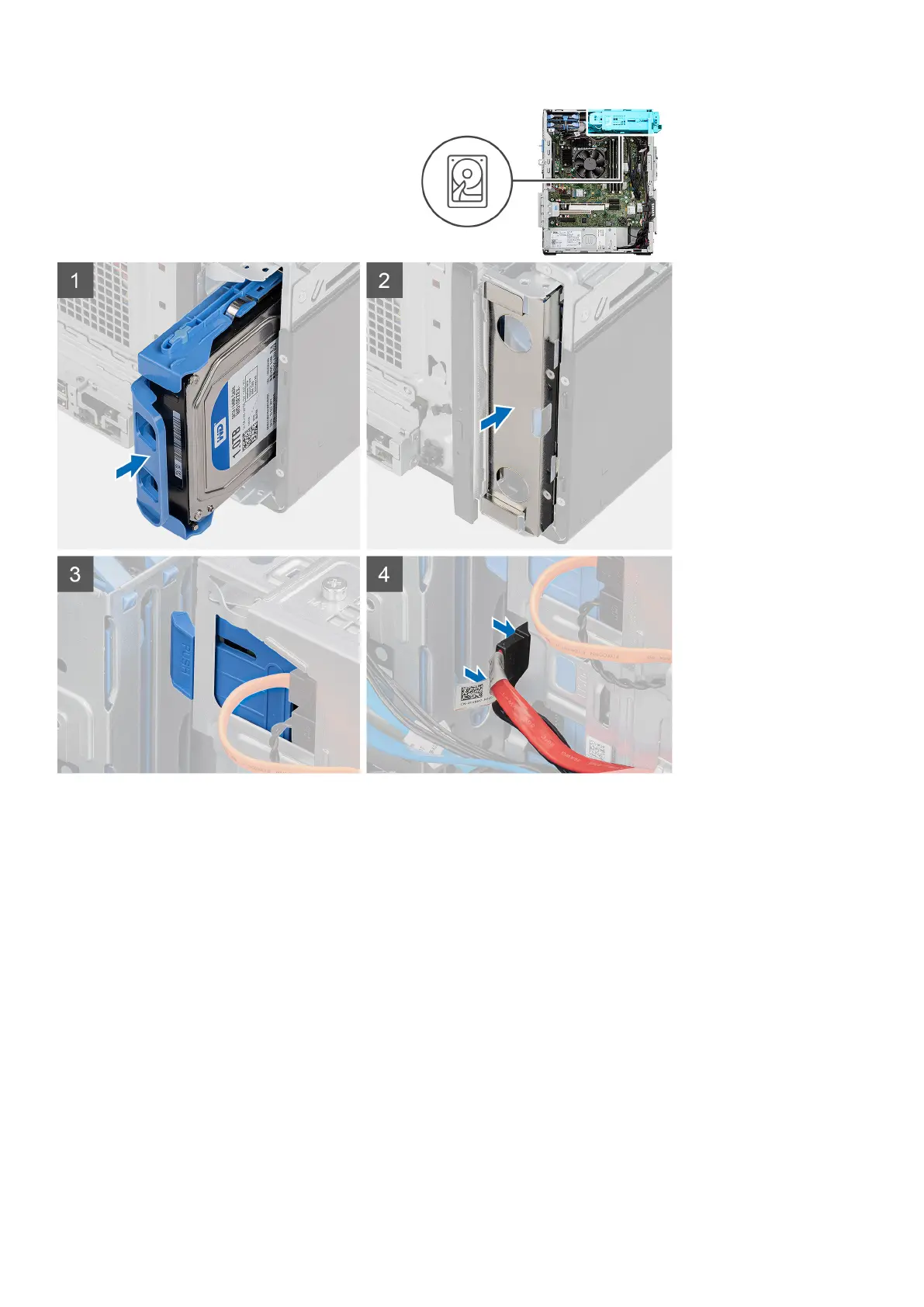
Steps
1. Slide to insert the 3.5-inch hard drive assembly into the hard drive slot.
2. Replace the EMI shield on the chassis.
3. Align the hard drive assembly with the tabs on the chassis.
4. Route the power cable and the data cable through the routing guides on the hard drive assembly and connect the cables to
the hard drive.
Next steps
1. Install the front bezel.
2. Install the side cover.
3. Follow the procedure in after working inside your computer.
Removing and installing components
27




 To Next Page