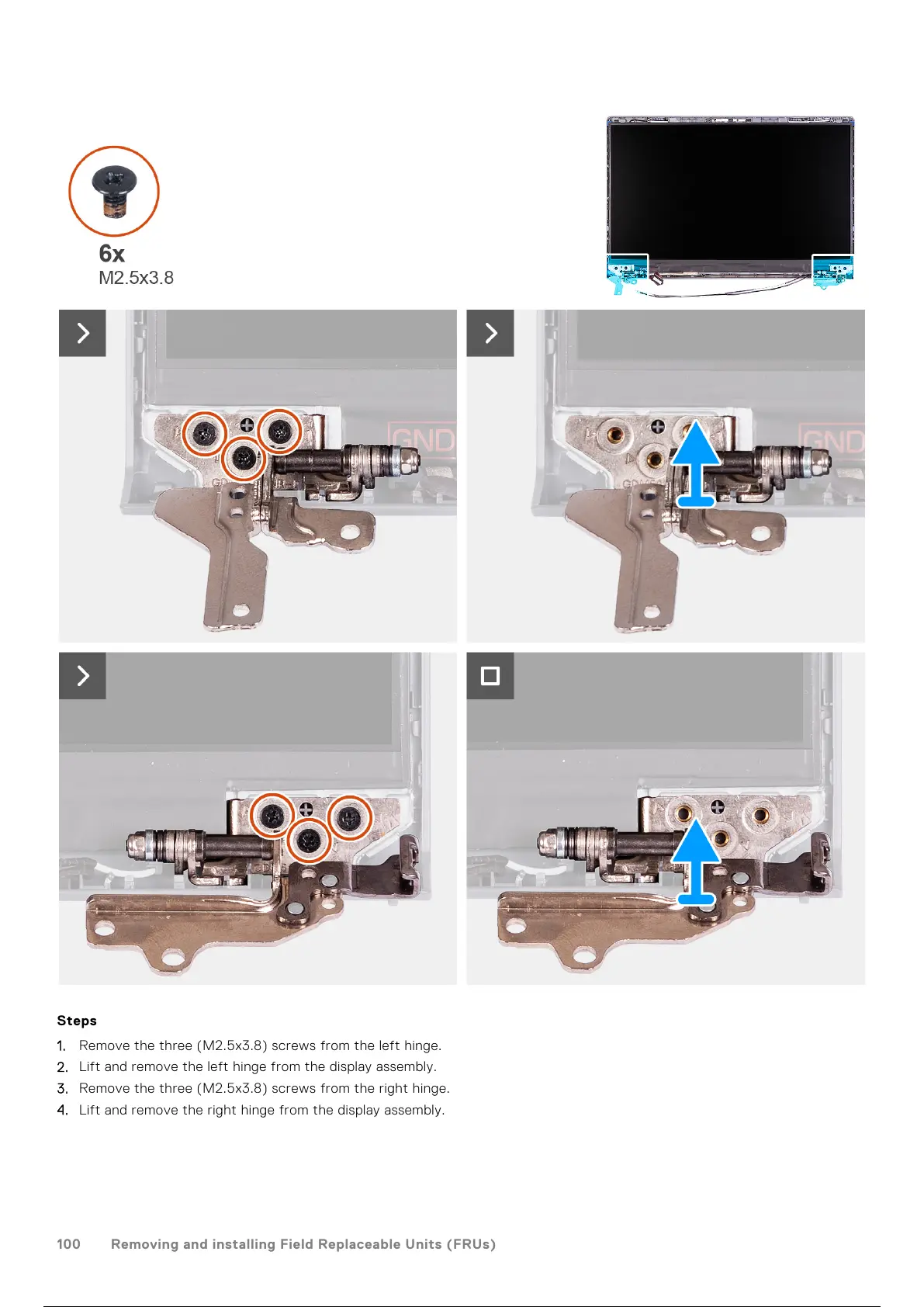
Steps
1. Remove the three (M2.5x3.8) screws from the left hinge.
2. Lift and remove the left hinge from the display assembly.
3. Remove the three (M2.5x3.8) screws from the right hinge.
4. Lift and remove the right hinge from the display assembly.
100
Removing and installing Field Replaceable Units (FRUs)
101 / 156 100 / 154 101 / 156



 To Next Page