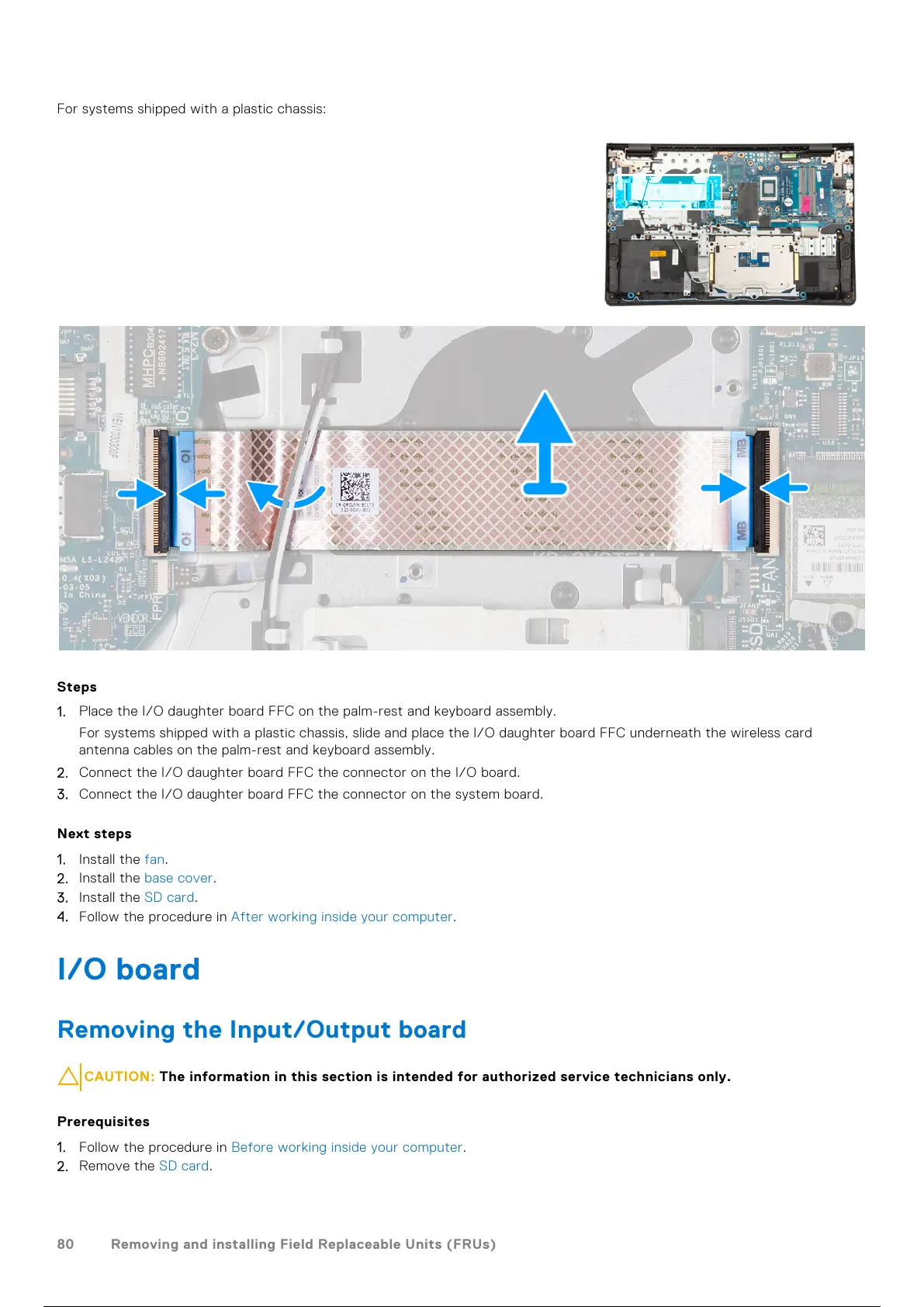
For systems shipped with a plastic chassis:
Steps
1. Place the I/O daughter board FFC on the palm-rest and keyboard assembly.
For systems shipped with a plastic chassis, slide and place the I/O daughter board FFC underneath the wireless card
antenna cables on the palm-rest and keyboard assembly.
2. Connect the I/O daughter board FFC the connector on the I/O board.
3. Connect the I/O daughter board FFC the connector on the system board.
Next steps
1. Install the fan.
2. Install the base cover.
3. Install the SD card.
4. Follow the procedure in After working inside your computer.
I/O board
Removing the Input/Output board
CAUTION: The information in this section is intended for authorized service technicians only.
Prerequisites
1. Follow the procedure in Before working inside your computer.
2. Remove the SD card.
80
Removing and installing Field Replaceable Units (FRUs)
81 / 156 80 / 154 81 / 156



 To Next Page