Steps
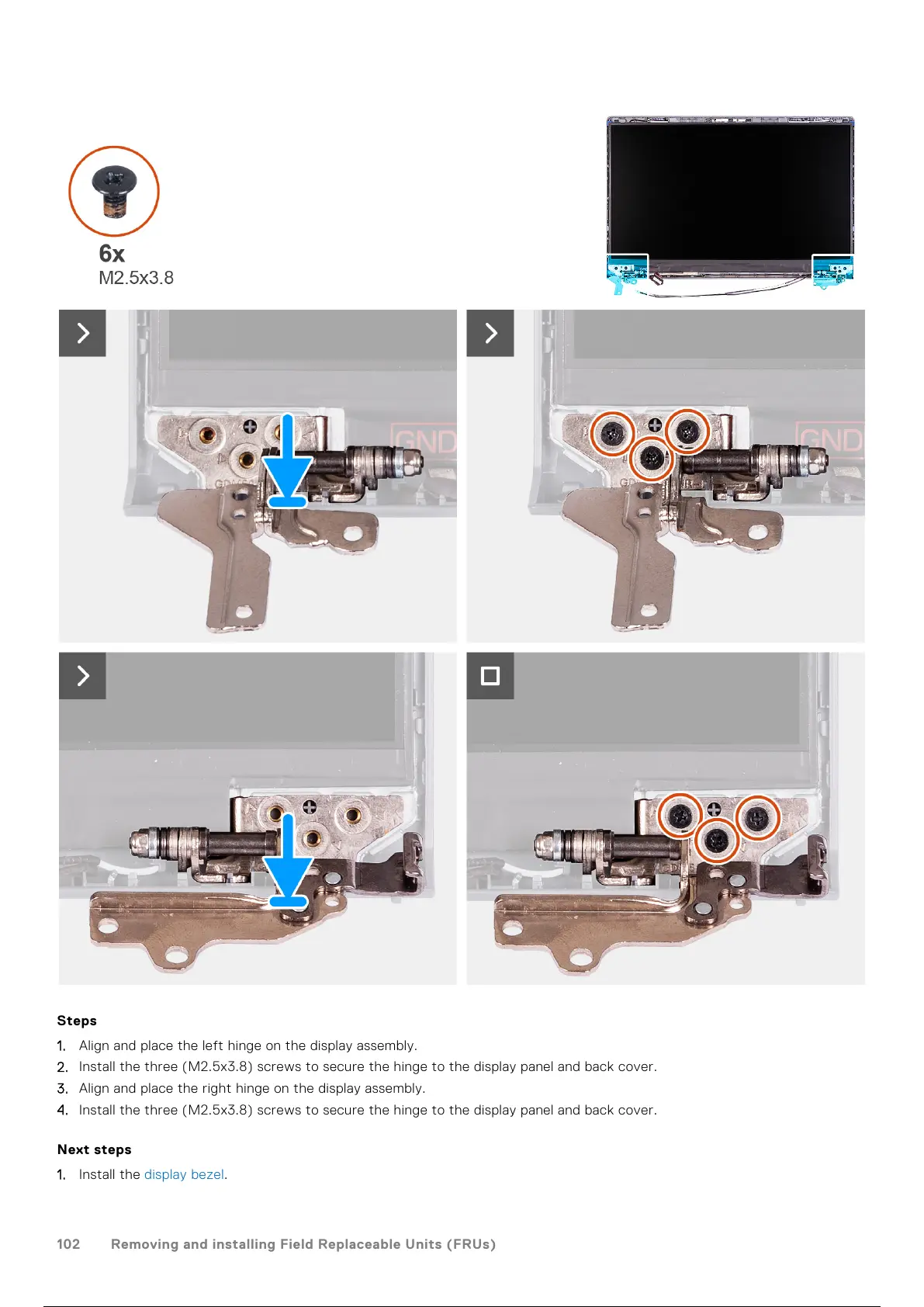
1. Align and place the left hinge on the display assembly.
2. Install the three (M2.5x3.8) screws to secure the hinge to the display panel and back cover.
3. Align and place the right hinge on the display assembly.
4. Install the three (M2.5x3.8) screws to secure the hinge to the display panel and back cover.
Next steps
1. Install the display bezel.
102
Removing and installing Field Replaceable Units (FRUs)
103 / 156 102 / 154 103 / 156



 To Next Page