About this task
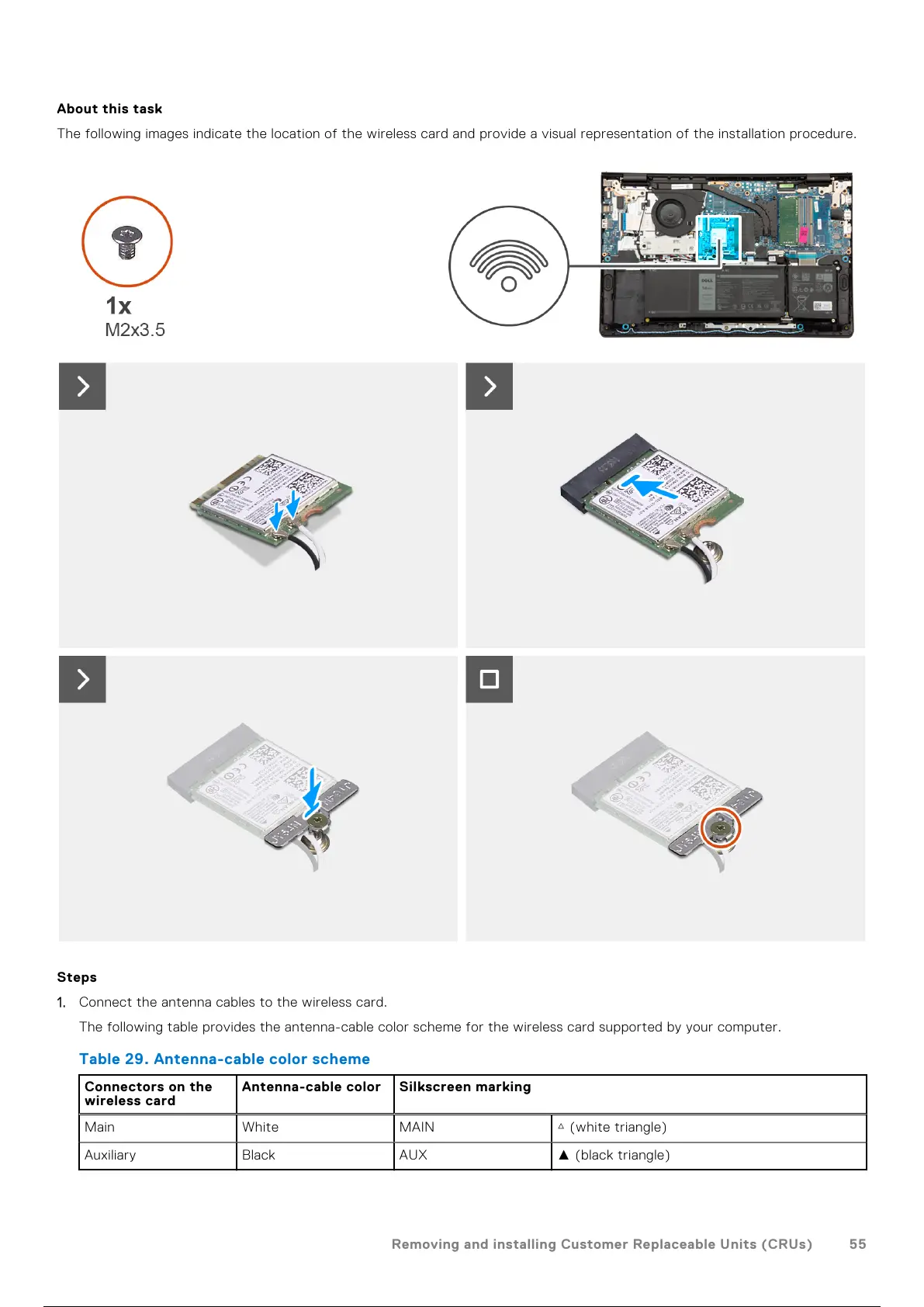
The following images indicate the location of the wireless card and provide a visual representation of the installation procedure.
Steps
1. Connect the antenna cables to the wireless card.
The following table provides the antenna-cable color scheme for the wireless card supported by your computer.
Table 29. Antenna-cable color scheme
Connectors on the
wireless card
Antenna-cable color Silkscreen marking
Main White MAIN △ (white triangle)
Auxiliary Black AUX ▲ (black triangle)
Removing and installing Customer Replaceable Units (CRUs) 55
56 / 156 55 / 154 56 / 156



 To Next Page