3. Remove the base cover.
About this task
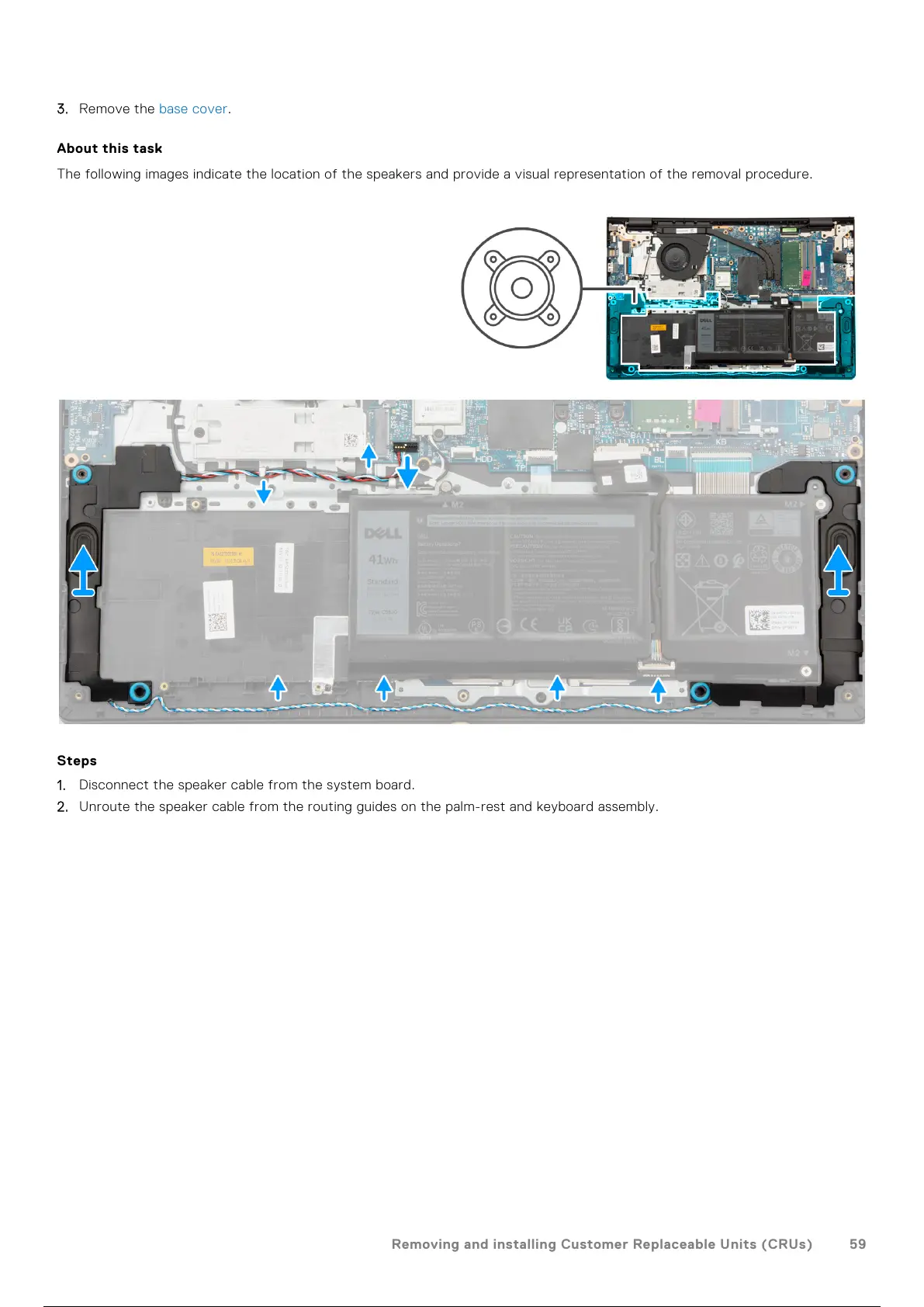
The following images indicate the location of the speakers and provide a visual representation of the removal procedure.
Steps
1. Disconnect the speaker cable from the system board.
2. Unroute the speaker cable from the routing guides on the palm-rest and keyboard assembly.
Removing and installing Customer Replaceable Units (CRUs)
59
60 / 156 59 / 154 60 / 156



 To Next Page