Steps
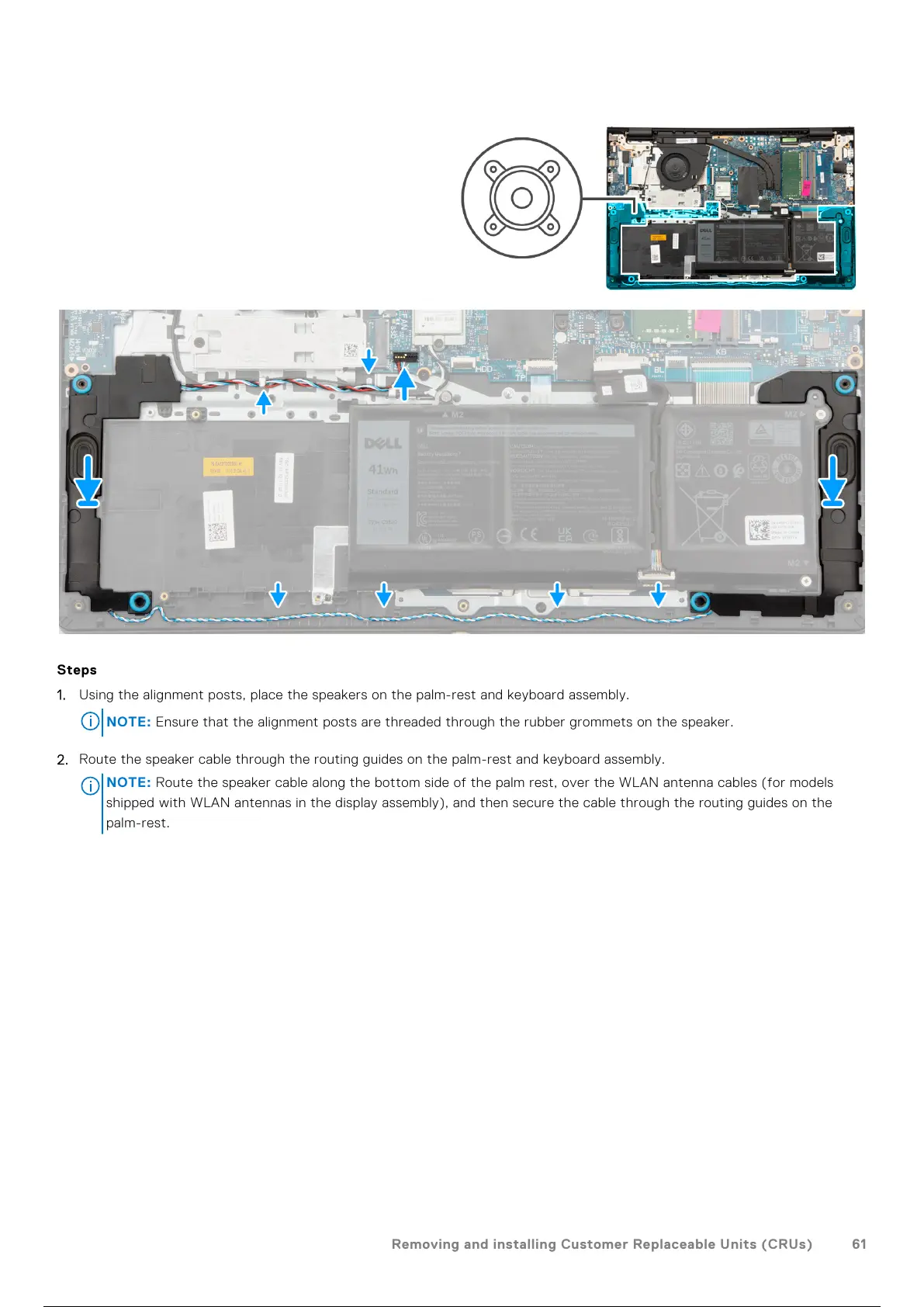
1. Using the alignment posts, place the speakers on the palm-rest and keyboard assembly.
NOTE: Ensure that the alignment posts are threaded through the rubber grommets on the speaker.
2. Route the speaker cable through the routing guides on the palm-rest and keyboard assembly.
NOTE:
Route the speaker cable along the bottom side of the palm rest, over the WLAN antenna cables (for models
shipped with WLAN antennas in the display assembly), and then secure the cable through the routing guides on the
palm-rest.
Removing and installing Customer Replaceable Units (CRUs) 61
62 / 156 61 / 154 62 / 156



 To Next Page