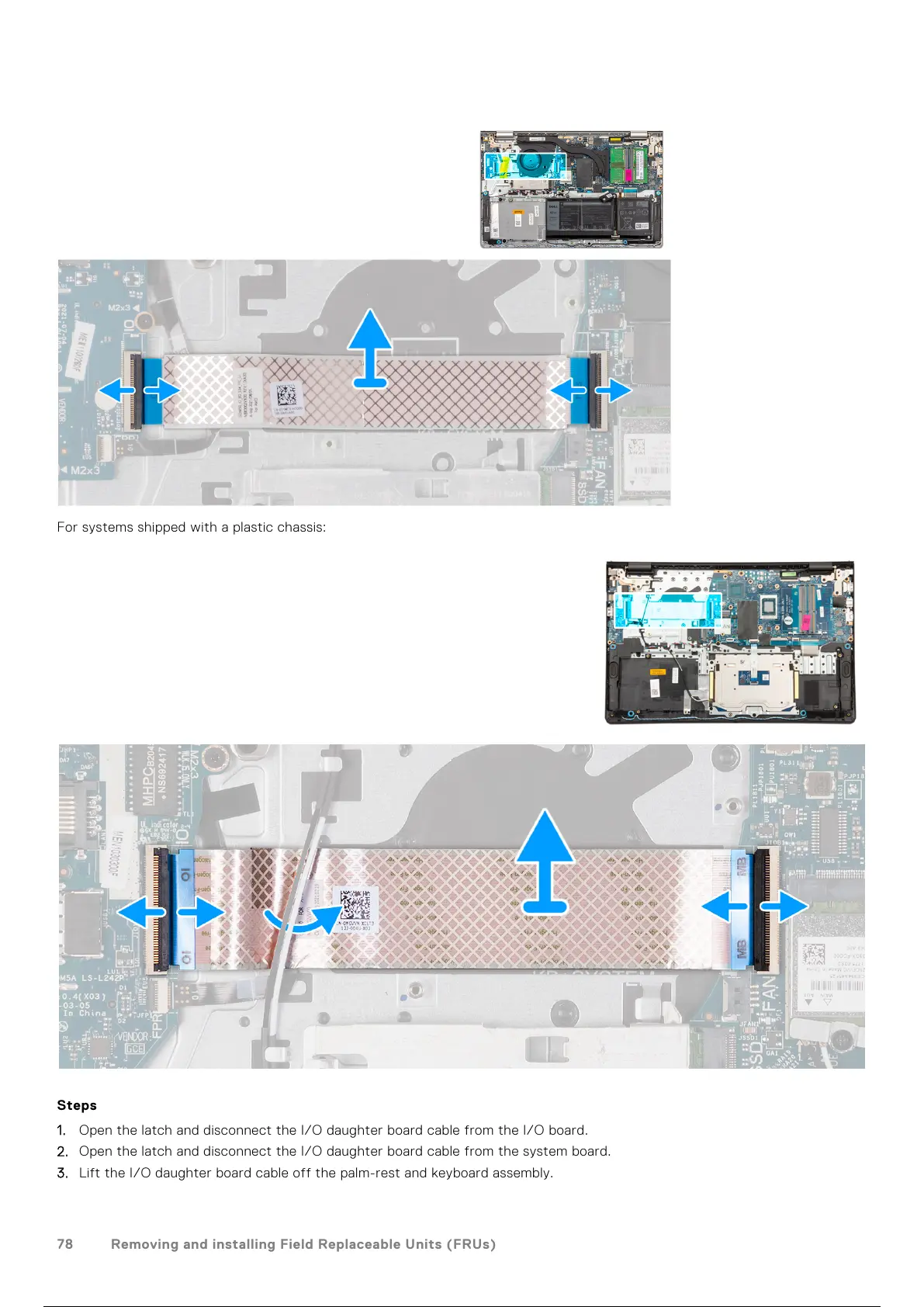
For systems shipped with a plastic chassis:
Steps
1. Open the latch and disconnect the I/O daughter board cable from the I/O board.
2. Open the latch and disconnect the I/O daughter board cable from the system board.
3. Lift the I/O daughter board cable off the palm-rest and keyboard assembly.
78
Removing and installing Field Replaceable Units (FRUs)
79 / 156 78 / 154 79 / 156



 To Next Page