4. Connect the speaker cable to the system board.
5. Connect the touchpad cable to the system board and close the latch to secure the cable.
Next steps
1. Install the battery.
2. Install the base cover.
3. Follow the procedure in After working inside your computer.
WLAN card
Removing the WLAN card
Prerequisites
1. Follow the procedure in Before working inside your computer.
2. Remove the base cover.
3. Remove the battery.
About this task
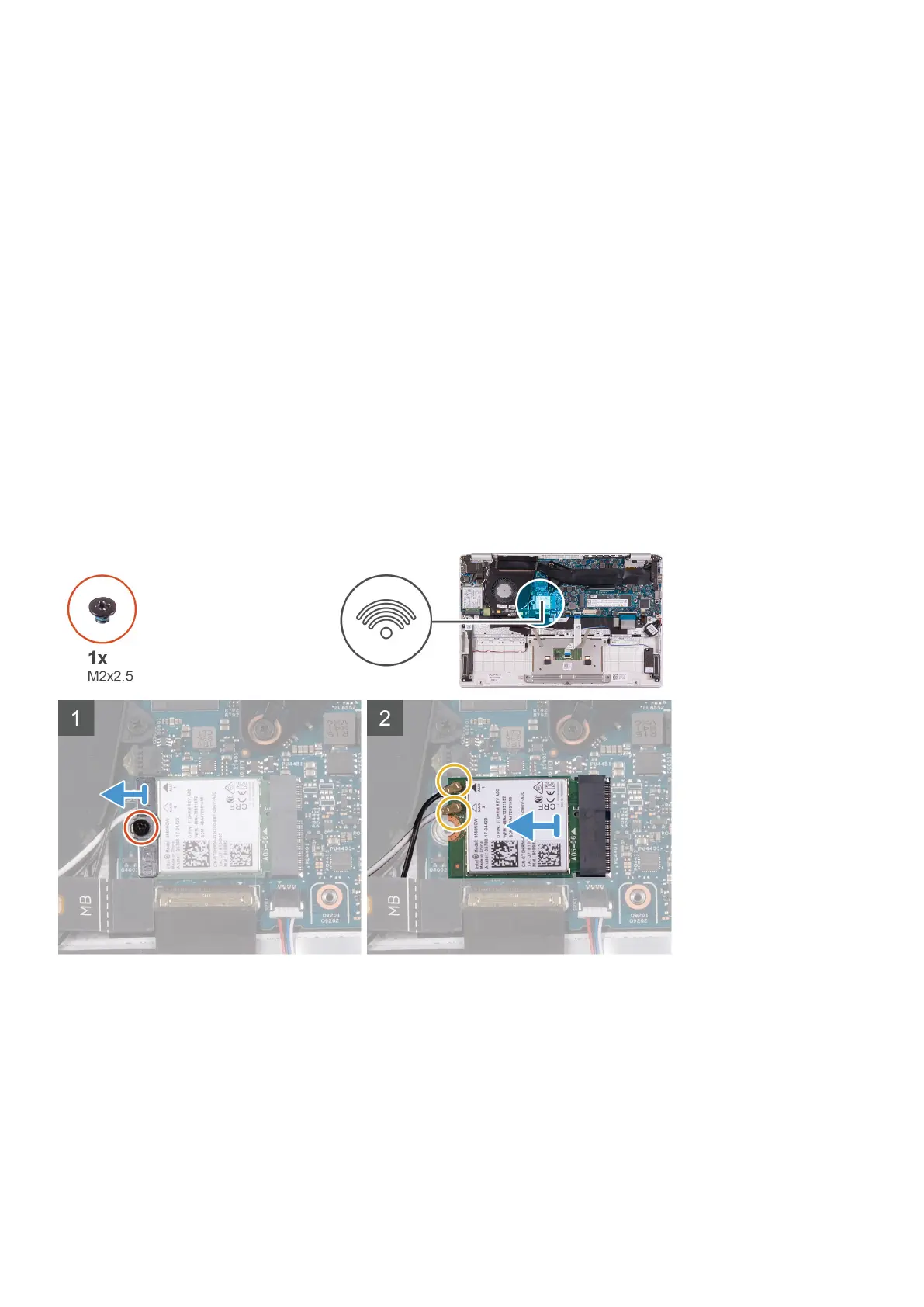
The following image indicates the location of WLAN card and provides a visual representation of the removal procedure.
Steps
1. Remove the screw (M2x2.5) that secures the WLAN-card bracket to the WLAN card and lift the WLAN-card bracket off the
WLAN card.
2. Disconnect the antenna cables from the WLAN card.
3. Slide and remove the WLAN card from the WLAN-card slot.
Removing and installing components
27



 To Next Page