About this task
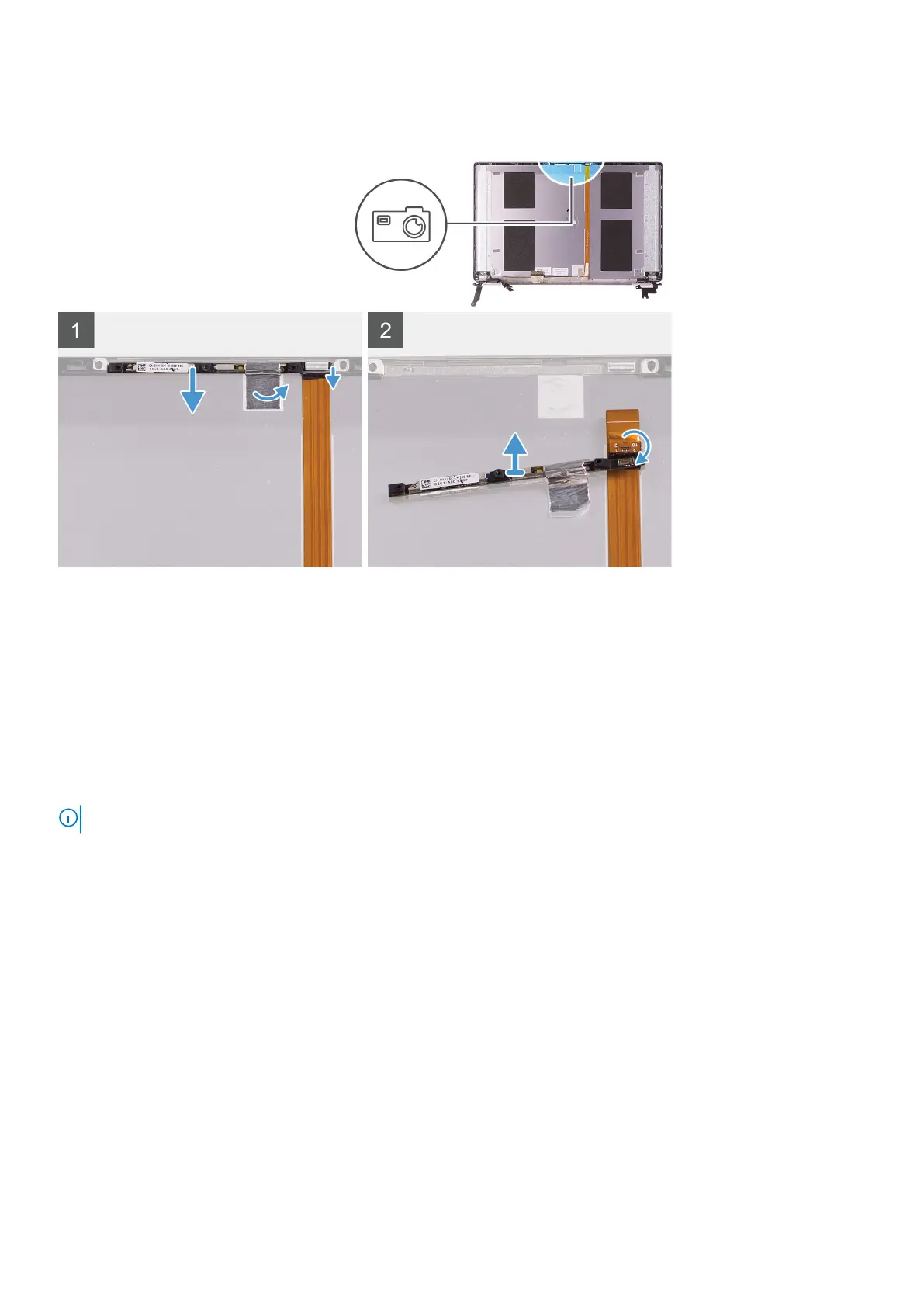
The following image indicates the location of camera and provides a visual representation of the removal procedure.
Steps
1. Peel the tape that secures the camera to the display back-cover
2. Using a plastic scribe, pry the camera from the alignment post on the display back-cover.
3. Turn over the camera and disconnect the camera cable off the camera.
4. Peel the tape off the camera and lift the camera off the display back-cover.
Installing the camera
Prerequisites
NOTE: This procedure is not applicable to computers shipped with a WWAN configuration.
If you are replacing a component, remove the existing component before performing the installation procedure.
About this task
The following image indicates the location of camera and provides a visual representation of the installation procedure.
56
Removing and installing components



 To Next Page